
This article is general information, not medical advice. If pain is severe, lasting or getting worse, talk to a doctor. Read our health disclaimer.
If you are learning how to use a laptop stand correctly, treat the stand as a way to position the screen, not as permission to type for hours on a raised built-in keyboard. HSE says prolonged laptop use should separate the keyboard and mouse from the laptop so the screen can be elevated. OSHA gives the same practical direction for laptops used as primary computers. If that setup matches your space, see a desk for laptop and desktop use.
How to Use a Laptop Stand Correctly for Longer Work
First, raise the laptop until the screen sits in a comfortable viewing position. HSE places the top of a standard screen around eye level and about an arm’s length away. However, exact fit still depends on your body, display and task. The monitor-height guide and monitor-distance guide compare the official ranges instead of inventing one number.
Next, how to use a laptop stand correctly for prolonged typing requires an external keyboard and pointing device. Because the screen and built-in keyboard are attached, raising the display also raises the built-in keyboard. The laptop ergonomics guide explains that screen-and-keyboard tradeoff, while the laptop plus monitor guide covers a second-screen option.

How to Use a Laptop Stand Correctly Without Moving the Reach Problem
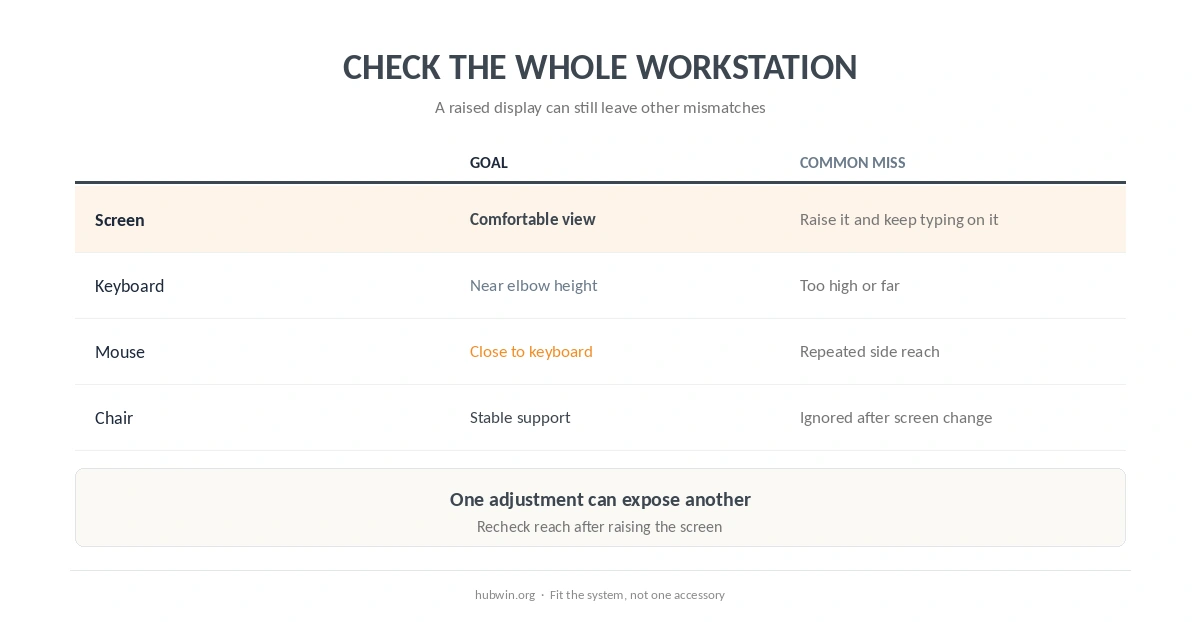
Also, place the external keyboard and mouse close enough that your elbows can stay near your sides. OSHA advises keeping frequently used items within easy reach, and its keyboard guidance emphasizes relaxed shoulders and straight wrists. The keyboard and mouse position guide gives the detailed setup.
In other words, how to use a laptop stand correctly is a whole-workstation question. A taller screen does not help if the mouse moves farther away or the chair no longer matches the work surface. Use the daily posture checklist and chair-adjustment guide to review those relationships.
| Part | Goal | Common mistake |
|---|---|---|
| Laptop screen | Comfortable height and distance | Raise it but keep typing on it for hours |
| Keyboard | Near elbow height | Place it too high or too far away |
| Mouse | Close to keyboard | Reach sideways for every click |
| Chair | Support a sustainable position | Change the screen but ignore seat height |
A Stand Is Optional; the Setup Goal Is Not
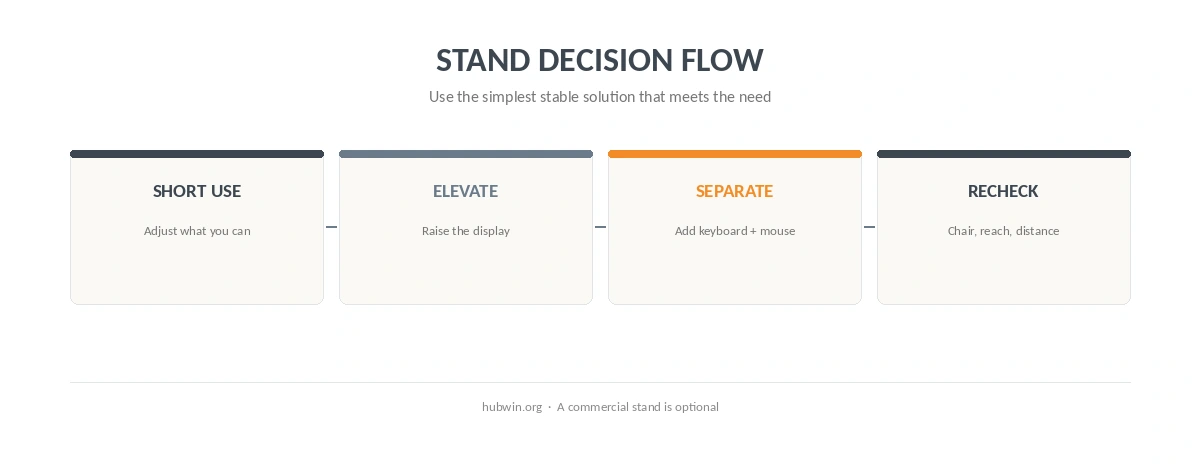
A commercial stand is only one way to elevate a laptop. NIOSH notes that a box or stack of books can raise a display in a temporary setup. Therefore, the laptop-stand myths article focuses on the function rather than the product, and the minimal setup guide helps avoid buying accessories without a clear need.
For short laptop sessions away from the main desk, perfect separation may not be practical. Still, OSHA recommends changing posture regularly and minimizing awkward laptop use outside the office. The flexible home-office guide can help if you move between locations, while the long-hours setup guide is more relevant for a primary workstation.
How We Research
HubWin read HSE’s DSE good-posture guidance, OSHA’s workstation evaluation checklist and purchasing guide, and NIOSH’s working-from-home guidance. We rechecked them on October 8, 2026. These sources support screen separation and external input devices for prolonged laptop work; they do not require one branded stand. Learn how HubWin researches articles.
FAQ
Raise the display until you can view it comfortably without sustained neck bending. Use monitor-height guidance rather than a universal stand setting.
For prolonged use, HSE and OSHA guidance supports separating the raised screen from the keyboard and pointing device.
For a stable temporary setup, NIOSH notes that a box or books can elevate a display. Stability and safe placement still matter.
Brief use may happen, but prolonged typing on a raised built-in keyboard can create a poor keyboard position. Separate input devices solve that tradeoff.
No single accessory can promise that outcome. A stand only changes screen position; persistent or worsening symptoms need appropriate medical assessment.
The Bottom Line
The practical rule for how to use a laptop stand correctly is simple: use it to position the screen, then bring a separate keyboard and mouse to a comfortable reach for prolonged work. Finally, check the chair and desk instead of treating the stand as the whole solution. The home-office ergonomics checklist can verify the full setup.