
The simplest answer to how to build a flexible home office setup is to keep the core workstation stable and make only the secondary pieces movable. HSE’s home-working guidance says workers need a comfortable, sustainable DSE setup, but they do not necessarily need office-type furniture. NIOSH also recommends a work-ready area where lighting, noise and temperature can be controlled as well as the home allows. For that specific layout, see home office for a designer.
How to Build a Flexible Home Office Setup: Keep a Stable Core
A flexible setup should not mean rebuilding everything for each task. Keep the chair, primary input devices and main screen relationship as consistent as possible. The essential home office setup and ergonomics checklist define that core.
Then decide which items actually need to move. A headset, webcam, notebook or second display can belong to a task-specific layer rather than the permanent center of the desk. The keep-only-what-you-use guide is useful here because it sorts equipment by frequency instead of by aesthetics.

How to Build a Flexible Home Office Setup for Different Work Modes
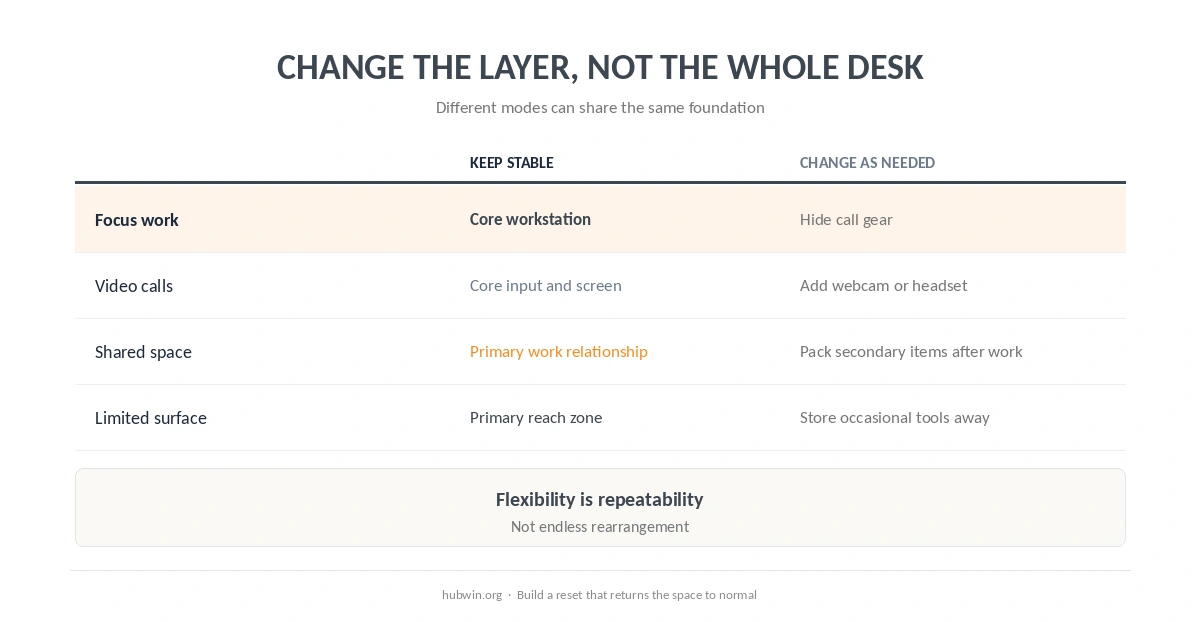
One part of how to build a flexible home office setup is limiting the layout to a few repeatable modes. Use a few repeatable modes instead of an endlessly adjustable layout. For example: focus mode, call mode and shared-room mode. The video-call setup guide covers the call layer. The shared-room guide handles the case where another person needs the same space.
Laptop users can make the same distinction. The screen-and-input relationship stays the core; the stand, external display or secondary devices can change around it. See the laptop monitor setup and minimal home-office setup before adding more equipment. For that specific layout, see portable office.
| Work mode | Keep stable | Change only what is needed |
|---|---|---|
| Focus work | Chair, keyboard/mouse, main screen | Hide call gear and secondary tools |
| Video calls | Core input and screen position | Bring webcam, light or headset into use |
| Shared space | Primary work relationship | Pack or move secondary items after the session |
| Limited surface | Core reach zone | Store occasional tools outside the active desk |
Design the Reset Before You Need It
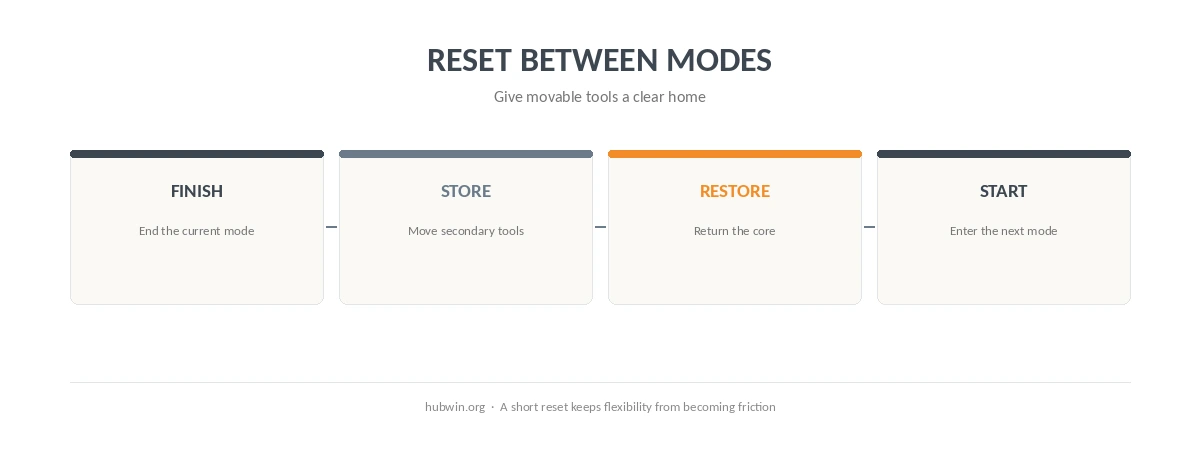
Another part of how to build a flexible home office setup is making the reset obvious. A flexible setup works only if it can return to a known state. Give movable items a home and keep the reset short. The cable setup guide reduces reconnection work, while the functional desk guide protects the primary work zone on a small surface.
If the whole room changes during the day, think in zones rather than furniture categories. The apartment setup guide shows how a repeatable zone can work without a dedicated office. The small home-office guide applies the same workstation relationships when space is tight.
How We Research
HubWin read HSE guidance for home-worker display-screen equipment, HSE workstation-assessment guidance, OSHA’s workstation evaluation checklist, and NIOSH Working from Home guidance. We rechecked the sources on October 8, 2026. The sources support fit, reassessment and work-ready environments; the “stable core plus movable layer” model is HubWin’s practical synthesis, not an official standard. Learn how HubWin researches articles.
FAQ
Keep the primary workstation relationship stable, then make secondary tools easy to add, remove and store for different tasks.
No. HSE says home workers do not necessarily need office-type furniture. The important question is whether the setup remains suitable for the work.
Keep the chair, primary input devices and main screen relationship as consistent as the space allows. A related how-to guide covers guest room office.
Movable tools can include a headset, webcam, notebook, secondary display, or other equipment tied to one work mode.
Use a clear core setup for each person, store personal secondary tools separately, and make the reset routine short enough to repeat.
The Bottom Line
The practical answer to how to build a flexible home office setup is to stop treating every object as permanent. Keep the workstation core predictable, move only the tools that belong to a specific mode, and reset the space when that mode ends. The common home-office mistakes guide is a useful final check before adding more complexity.