
This article is general information, not medical advice. If pain is severe, lasting or getting worse, talk to a doctor. Read our health disclaimer.
Home office mistakes are often less dramatic than furniture ads suggest: the chair is too high for the feet, the mouse is too far away, the laptop screen is too low, or the setup locks you into one position. OSHA’s current Computer Workstations eTool says there is no single correct posture or arrangement that fits everyone. Therefore, ask whether the whole workstation fits the person and task. Review OSHA’s workstation guidance. A related Health & Comfort guide covers improving home-office air quality and the limits of setup changes.
Home Office Mistakes That Come From Chasing One Perfect Setup
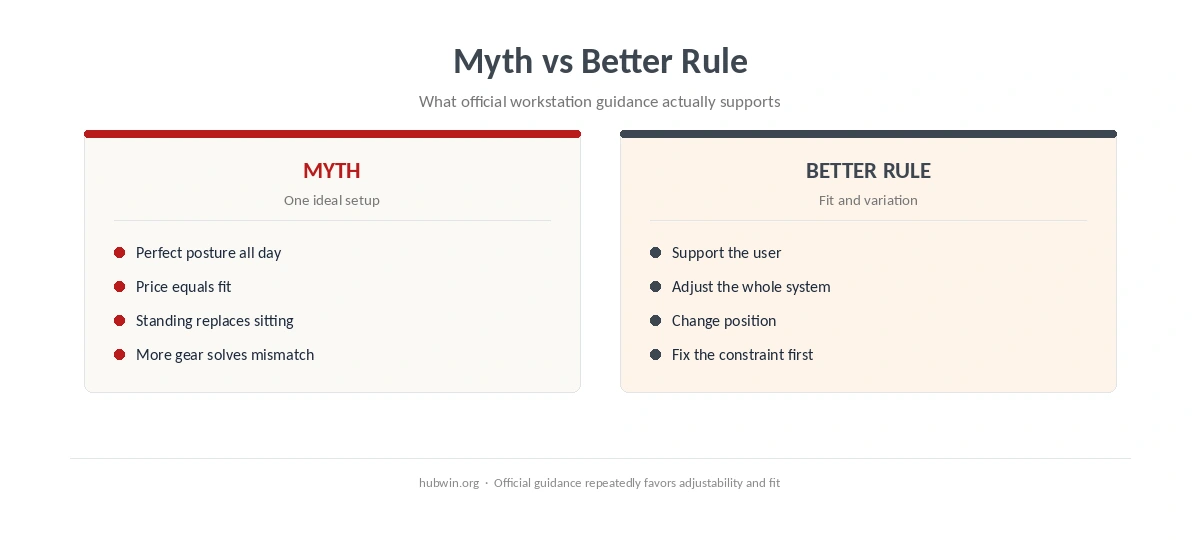
The first myth is that there is one ideal posture you should hold all day. OSHA’s workstation guidance, reviewed in 2026, describes several design goals. These include supported feet and back, relaxed shoulders, straight wrists, and a monitor around eye level. It also makes clear that the setup should be custom-fit rather than copied as a fixed pose.
That is why our desk posture guide treats posture as a workable range. Meanwhile, the office ergonomics guidelines compare the official sources behind those recommendations.
Mistake 1: Treating a Laptop as a Full-Time Workstation
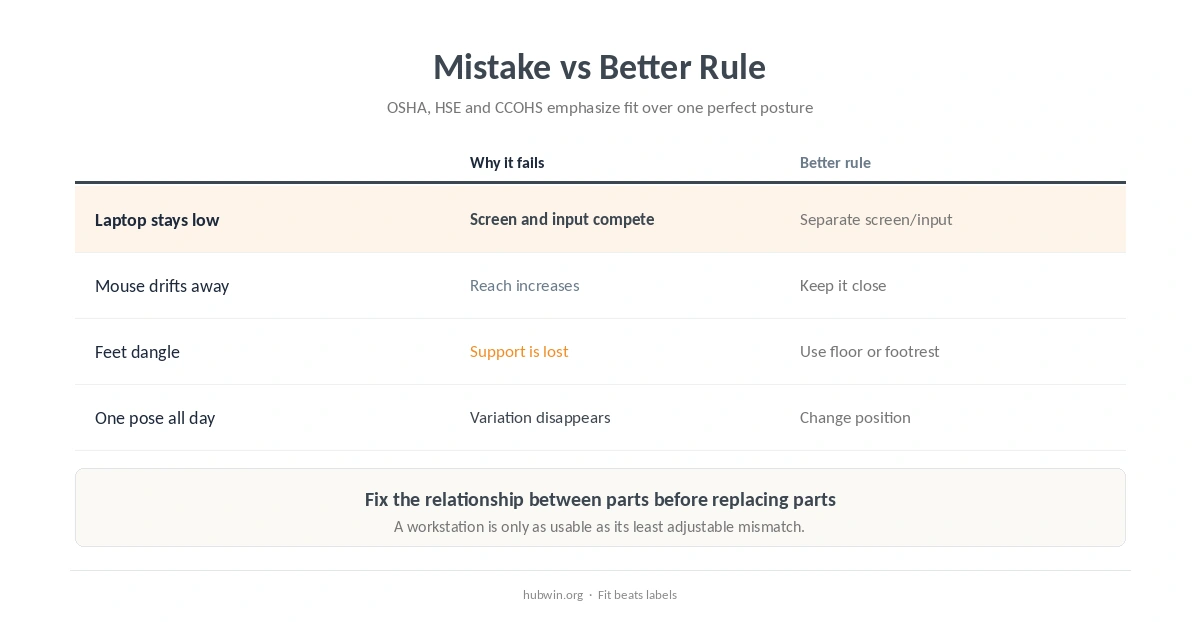
A laptop forces the screen and keyboard into one piece, so changing screen height also changes hand position. HSE’s 2024 home-working guidance says home workers should be able to achieve a comfortable, sustainable posture. It also says employers should check whether home equipment is suitable. For longer laptop sessions, separate viewing from input when needed. An external keyboard and mouse can give you more ways to fit both. See our laptop ergonomics setup for the tradeoff.
Mistake 2: Letting the Mouse Drift Out of Easy Reach
CCOHS guidance revised in 2024 says a mouse that sits beyond easy reach can increase sideways or forward reaching. Its keyboard guidance, first published in 2022, also keeps the keyboard and mouse close. This allows the elbows to stay near the body. Therefore, a better rule is simple: keep the mouse beside the keyboard or otherwise inside a comfortable reach zone. Our keyboard and mouse position guide gives the full setup.
Mistake 3: Adjusting the Desk Before the Chair and Feet
CCOHS’s chair-adjustment guidance says the seat, work surface and floor are three contact areas that shape working posture. When a fixed desk is too high, the guidance recommends raising the chair until the elbows approach work-surface height. If the feet then lose support, use a footrest. In practice, home office mistakes often come from changing one of those three contact points while ignoring the other two.
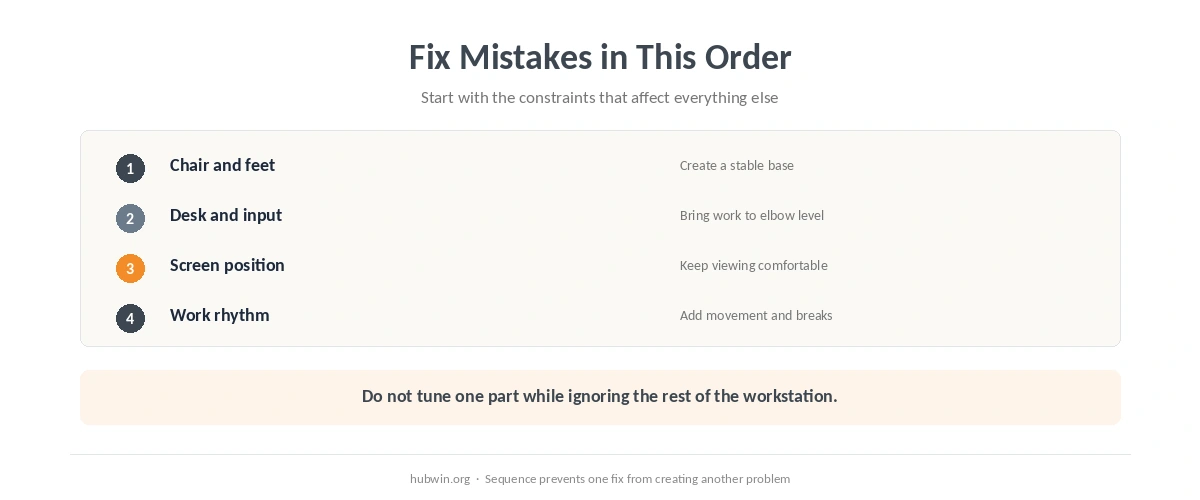
Start with proper chair adjustment before fine-tuning the rest of the desk. That sequence also helps you spot when the desk itself is the real constraint.
Mistake 4: Raising the Monitor Just Because “Eye Level” Sounds Right
OSHA’s current monitor guidance puts the top of the screen at or slightly below eye level. However, CCOHS notes that individual viewing needs vary and treats recommendations as starting points. The mistake is turning a range into a rigid rule. If you wear bifocals or progressives, for example, a lower monitor may be more comfortable. Our monitor height comparison explains where the agencies differ.
Mistake 5: Buying an “Ergonomic” Chair and Assuming the Job Is Done
CCOHS confirmed in 2026 that one chair does not fit everyone. It also describes the chair as only one component of workstation design. The work surface, foot support, task lighting and input devices still need to fit together. This is why chair price alone is a weak shortcut for deciding whether a setup works.
Mistake 6: Standing All Day to Escape Sitting
Standing is a change of position, not a universal replacement for sitting. CCOHS chair guidance confirmed current in 2026 and HSE home-working guidance updated in 2024 both support changes of position or activity rather than one posture for the entire day. Our standing desk myths article separates the evidence from the slogan.
Mistake 7: Ignoring Breaks Because the Setup Looks “Ergonomic”
HSE’s home-working page, updated in 2024, says employers should plan breaks or changes of activity for DSE users. In other words, a good workstation does not remove the need to move. The 2022 micro-break meta-analysis found small benefits for vigor and fatigue. However, it did not show a reliable overall performance gain.
Mistake 8: Solving Every Problem With More Gear
A monitor riser, footrest or external input device can be useful when it solves a measured mismatch. However, buying accessories before checking chair height, reach, screen placement and available space can simply move the problem. The home office mistakes worth fixing first are observable. Look for unsupported feet, awkward reach, blocked legroom, or a screen that changes your head position.
Mistake 9: Copying Someone Else’s Setup Without Testing Fit
OSHA and CCOHS both frame workstation setup around the user rather than a universal template. Therefore, use a checklist as a starting point and adjust from there. The home office ergonomics checklist is designed for exactly that kind of self-check.
How to Fix Home Office Mistakes in the Right Order
To correct home office mistakes without creating new ones, work from the base outward. Support your feet and back first. Then set chair and work-surface height together, bring input devices into easy reach, place the screen, and add movement. That order follows the relationships emphasized across OSHA, HSE and CCOHS guidance.
Related: For the next step, use our checklist for signs your setup may be contributing to pain. If the second issue is closer to your problem, see the quick-fix guide for a non-ergonomic desk.
How We Research
HubWin does not test furniture or diagnose discomfort. For this article, we read OSHA’s Computer Workstations eTool and HSE’s home-working DSE guidance updated June 4, 2024. We also read CCOHS chair guidance confirmed current June 1, 2026, plus its keyboard and mouse guidance on October 8, 2026. Learn how HubWin researches articles.
FAQ
We do not rank one mistake as the universal leader. OSHA, HSE and CCOHS address several recurring mismatches, including unsupported feet, poor reach, unsuitable screen position and lack of movement.
No. OSHA says there is no single correct posture that fits everyone. Aim for support, neutral joint positions where practical, and changes of position during the day.
Not by itself if raising the laptop also raises the built-in keyboard beyond a comfortable input position. An external keyboard and mouse can separate those two constraints.
No. CCOHS says the chair is only one part of workstation design. Desk height, feet, reach, screen position and work practices still matter.
Start with the chair, feet and work-surface relationship, then place the monitor around that stable working position. That reduces the chance that one adjustment forces another awkward compromise.
The Bottom Line
The useful way to think about home office mistakes is as mismatches, not personal failures. Fit the chair, surface, input devices and screen to the person. Then change position during the day instead of chasing one perfect pose.