
This article is general information, not medical advice. If pain is severe, lasting or getting worse, talk to a doctor. Read our health disclaimer.
Are expensive office chairs automatically better for ergonomics? The sources do not support that shortcut. Price can buy materials, mechanisms, warranty coverage or a wider adjustment range, but neither OSHA nor CCOHS uses retail price as an ergonomic test. CCOHS says a chair becomes ergonomic only when it fits the worker, workstation and tasks, and it warns that an “ergonomic” label does not guarantee a good fit.
What Expensive Office Chairs Can — and Cannot — Tell You
Expensive office chairs are difficult to evaluate from health research because the chair studies do not compare retail price tiers. OSHA focuses on backrest, seat, armrests, base, adjustability and fit. CCOHS does the same, describing ergonomics as matching furniture and equipment to the worker and the work.
That does not mean every low-cost chair performs the same. A chair still needs an adjustment range that fits the user, adequate back support, suitable seat depth and a configuration that lets the user get close enough to the keyboard. Seat height also has to work with the desk, so compare the chair with the sitting desk-height guide rather than judging the chair in isolation. The same applies to armrests and reach: the keyboard and mouse positioning guide shows why a chair that blocks access to the desk can undermine an otherwise good setup. The point is narrower: the sources do not support using price alone as evidence of ergonomic benefit.
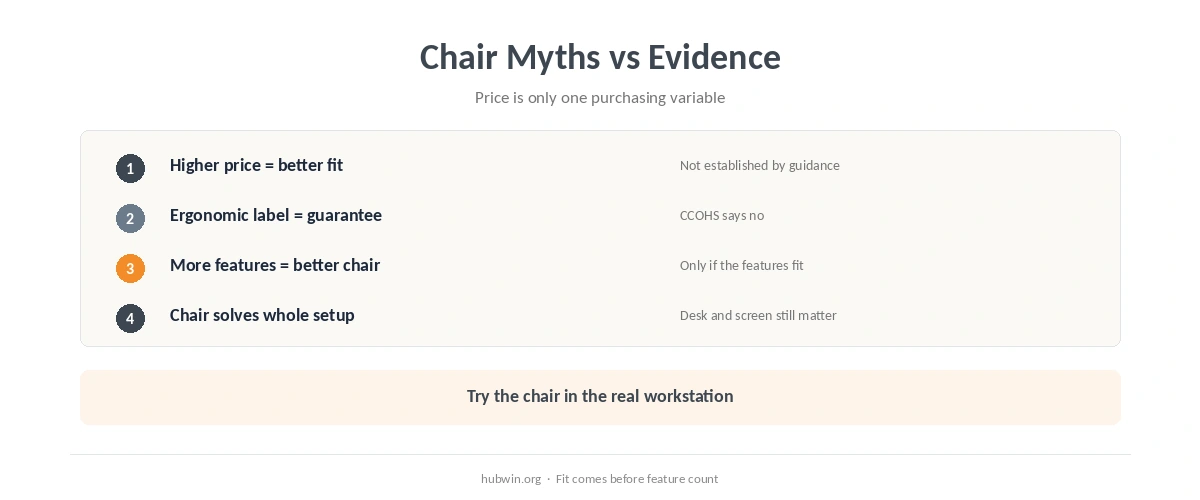
Expensive Office Chairs vs. Good Fit: What Matters More?
With expensive office chairs, price is still less informative than fit in the official guidance. CCOHS says one chair does not fit everyone and recommends matching seat height, depth, backrest and armrests to the user. OSHA also recommends trying different chairs before purchase because adjustability and support have to work for the person using the workstation. For that specific layout, see chair ergonomics.
| Claim | What the evidence says | Practical conclusion |
|---|---|---|
| A higher price proves better ergonomics | Official guidance does not use retail price as an ergonomic criterion | Check fit and adjustment range instead |
| An ergonomic label guarantees comfort | CCOHS says the label does not guarantee that a chair suits a particular user | Try the chair in the actual work setup |
| Any chair upgrade improves discomfort | A 2022 systematic review found very low- to low-quality and conflicting evidence across chair types | Do not assume a chair change produces a health outcome |
| Chair features matter | OSHA and CCOHS emphasize support, seat fit, adjustability and workstation compatibility | Prioritize usable features over feature count |

What Chair Research Can and Cannot Tell You
A 2022 systematic review included 14 office-chair studies: two randomized controlled trials, 10 repeated-measures studies and two prospective cohort studies. The authors rated the evidence for pain, discomfort and trunk-muscle outcomes as very low to low quality and found conflicting effects across chair types. Therefore, the review does not support a claim that buying a particular class of chair reliably improves those outcomes.
An earlier 2012 systematic review of five chair-intervention studies found a consistent trend toward lower self-reported musculoskeletal symptoms after interventions. However, the authors also highlighted heterogeneity and only moderate evidence, so they could not make strong recommendations. The reviews differ in tone, but both leave a major gap. Neither establishes that higher retail price causes better health results.

Use a Fit-First Chair Checklist
- Check the adjustment range. The seat height and depth should accommodate the user rather than an abstract average person.
- Check back support. OSHA and CCOHS both call for a backrest that supports the lower back and fits the user.
- Check the armrests against the desk. CCOHS notes that armrests can become a problem when they stop the chair from moving close enough to the keyboard.
- Try the chair in a real work position. OSHA recommends trying different chairs before purchase, and CCOHS also emphasizes user testing.
- Judge the whole workstation. A chair cannot compensate for a badly placed screen, keyboard or desk.
If you already own a chair with workable adjustments, use the office chair adjustment guide before replacing it. Then compare your position with the desk posture guide instead of assuming the chair alone determines how you sit.
Next, check the rest of the workstation with the home office ergonomics checklist. If the mismatch is broader than the chair, the simple ergonomic changes guide gives a fit-first order for adjusting the setup without treating a purchase as the answer. For that related claim, see the evidence on a realistic ergonomic setup.
Related: If that is the part of the setup you are working on next, continue with our guide to making a basic chair more workable.
How We Research
HubWin checked CCOHS ergonomic-chair guidance, CCOHS Purchasing Ergonomic Office Furniture revised May 5, 2026, OSHA Computer Workstations chair guidance, the 2022 systematic review by Channak and colleagues, and the 2012 review by van Niekerk and colleagues. We read or rechecked these sources on October 8, 2026. See About HubWin for our research method.
FAQ
They can offer useful features, but official guidance does not treat price as proof of ergonomic quality. Fit, adjustment range and compatibility with the workstation matter more directly.
No. CCOHS says chairs sold as ergonomic do not necessarily suit any one person. The chair has to fit the user, workstation and tasks.
Start with seat height and depth, back support, armrest compatibility, stability and whether the controls let you adjust the chair to your body and desk.
The evidence is mixed. A 2022 systematic review rated chair-intervention evidence from very low to low quality, while a 2012 review found a positive trend but still could not make strong recommendations.
Not automatically. If the existing chair has enough adjustment range, set it up first and check how it interacts with the desk, keyboard, mouse and screen.
Bottom Line
Expensive office chairs can offer useful features, but price alone tells you very little about ergonomic fit. Official guidance emphasizes adjustability, support, body dimensions and workstation compatibility. Research on chair interventions remains limited and mixed, so evaluate a chair by how well it fits the person and the task, not by the price tag.