
This article is general information, not medical advice. If pain is severe, lasting or getting worse, talk to a doctor. Read our health disclaimer.
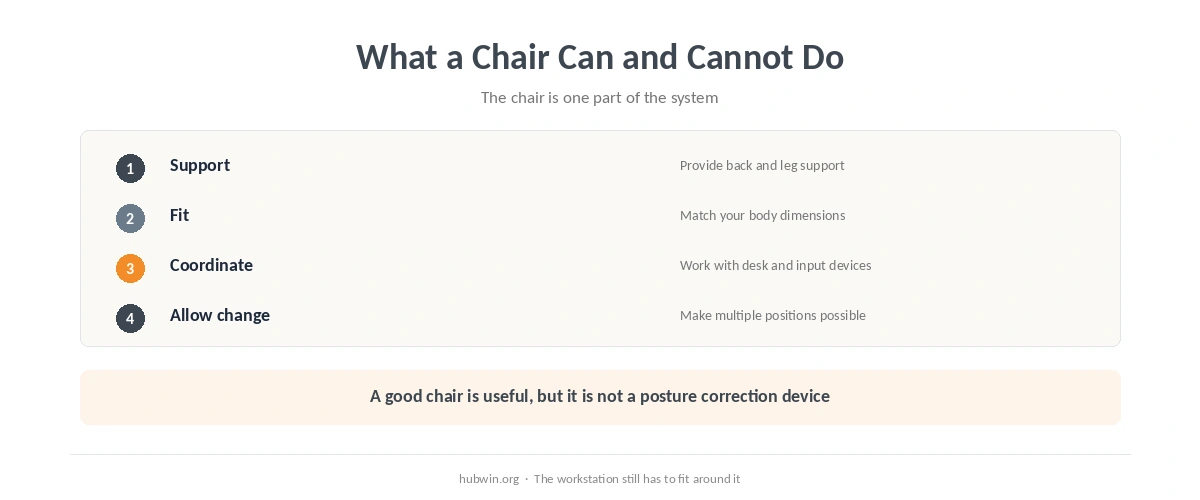
Can a good chair fix bad posture? Not by itself. CCOHS says a chair becomes ergonomic only when it fits the worker’s body, workstation and tasks. OSHA likewise says there is no single correct posture or component arrangement for everyone. A well-adjusted chair is important because it can support the back, legs and arms, but the rest of the workstation still has to meet you in a usable position. Read the CCOHS chair guidance.
Can a Good Chair Fix Bad Posture if the Desk Still Does Not Fit?
A chair can change seat height, back support and sometimes armrest position. It cannot move a fixed desk surface, lower an over-high monitor or pull a distant mouse back toward you. OSHA’s computer-workstation guidance tells users to adjust the chair together with the monitor, keyboard and desk. That is why buying a better chair without changing anything else can leave the original mismatch in place. That is why asking whether a good chair can fix bad posture misses the desk and input-device relationship. The chair-versus-desk guide shows how those components interact.
Start with the office-chair adjustment guide. Then check whether your feet are supported, whether the keyboard is near elbow height, and whether the mouse is close enough that the upper arm can stay near the body. If the desk itself is the limiting factor, the non-ergonomic desk fixes are more relevant than another chair feature.
Why “Can a Good Chair Fix Bad Posture?” Is the Wrong Buying Question
The phrase assumes posture is a defect that one product corrects. OSHA’s eTool instead describes several neutral working positions and says users should change position frequently. CCOHS says one chair does not fit everyone and no chair suits every activity. The better buying question is whether the chair gives you enough adjustment to fit your body and the workstation you actually use. In other words, a good chair can fix some bad posture triggers, but it cannot remove every trigger. The simple ergonomic changes guide starts with adjustments before equipment.
This also explains why price alone is a weak shortcut. Our expensive office-chair review found that higher cost is not the same thing as evidence of better health outcomes. Fit, useful adjustability and compatibility with the desk matter more than a long feature list.

Can a Good Chair Fix Bad Posture Through Support Alone?
OSHA says that even a good working posture should not be held unchanged for prolonged periods. Its guidance recommends changing working position frequently. CCOHS similarly says workers should know how to readjust the workstation throughout the day and include opportunities to stand, walk or otherwise move. So “good posture” is not a statue-like 90-degree position.
Use the chair to make several comfortable positions available. A slightly reclined position, a more upright position and brief periods away from the chair can all be part of the day when they fit the task. The desk-posture guide explains the neutral-position idea without turning it into a rigid pose, and the microbreak guide covers changes of activity.
For a quick daily reset, use the desk-posture checklist. If the chair itself is poor, the bad-chair comfort guide separates temporary fixes from limits.

Check the Whole Workstation in This Order
- Fit the chair to your body. Support the feet and back without pressure behind the knees.
- Bring the work to the elbows. The keyboard and mouse should not force raised shoulders or long reaches.
- Place the screen in front. Avoid making the neck compensate for a poor monitor position.
- Keep room to move. Do not let armrests, desk drawers or clutter lock you into one position.
- Recheck after real work. A setup that looks correct for one minute may be awkward during the task you do for hours.
How We Research
HubWin read CCOHS’s Ergonomic Chair fact sheet, confirmed current June 1, 2026; CCOHS’s chair-adjustment fact sheet, confirmed current February 4, 2025; and OSHA’s Computer Workstations eTool and good-working-position guidance, checked October 8, 2026. We use those sources to distinguish chair support from whole-workstation fit. Read the OSHA eTool and see the HubWin research method. This is also why the question “can a good chair fix bad posture?” gets a qualified no rather than a product recommendation.
FAQ
No. It can improve support and fit, but the desk, monitor, keyboard, mouse, task and movement pattern still matter.
No. CCOHS says the chair has to fit the user, workstation and task; lumbar support is only one feature.
No. OSHA says there is no single correct posture and recommends changing working position frequently.
Support the feet and back, avoid pressure behind the knees, keep shoulders relaxed, and then coordinate the chair height with the desk and input devices.
Raising the chair may help the arms, but then the feet may need a stable footrest. If the desk creates several mismatches, fixing the work surface may be the better long-term solution.
The Bottom Line
Can a good chair fix bad posture? It can remove some reasons you adopt awkward positions, but it cannot correct a workstation that still forces reaching, twisting or static work. Treat the chair as one adjustable part of a system, then make the rest of the setup meet you.