
This article is general information, not medical advice. If pain is severe, lasting or getting worse, talk to a doctor. Read our health disclaimer.
What is the correct sitting posture at a desk? The official answer is not one rigid 90-degree pose. OSHA’s Computer Workstations eTool, checked in 2026, says there is no single correct posture that fits everyone. Instead, the goal is a supported position with the head balanced, shoulders relaxed, wrists straight, feet supported and room to change position. If symptoms are the main concern, see our guide on forward head posture.
What Is the Correct Sitting Posture at a Desk?
The correct sitting posture at a desk starts with support rather than stiffness. OSHA’s posture guidance, checked in 2026, describes the head as level and forward-facing, the back as supported, the feet as supported by the floor or a footrest, and the thighs as generally parallel to the floor. It also places the elbows close to the body within a broad 90-to-120-degree range.
HSE’s 2025 DSE guidance adds practical fitting details. It says the keyboard should sit just below elbow height, the lower back should have support, and the mouse should line up with the elbow. In addition, HSE recommends a 0.8-to-1.2-inch (2-to-3-cm) gap between the front edge of the seat and the back of the knee.
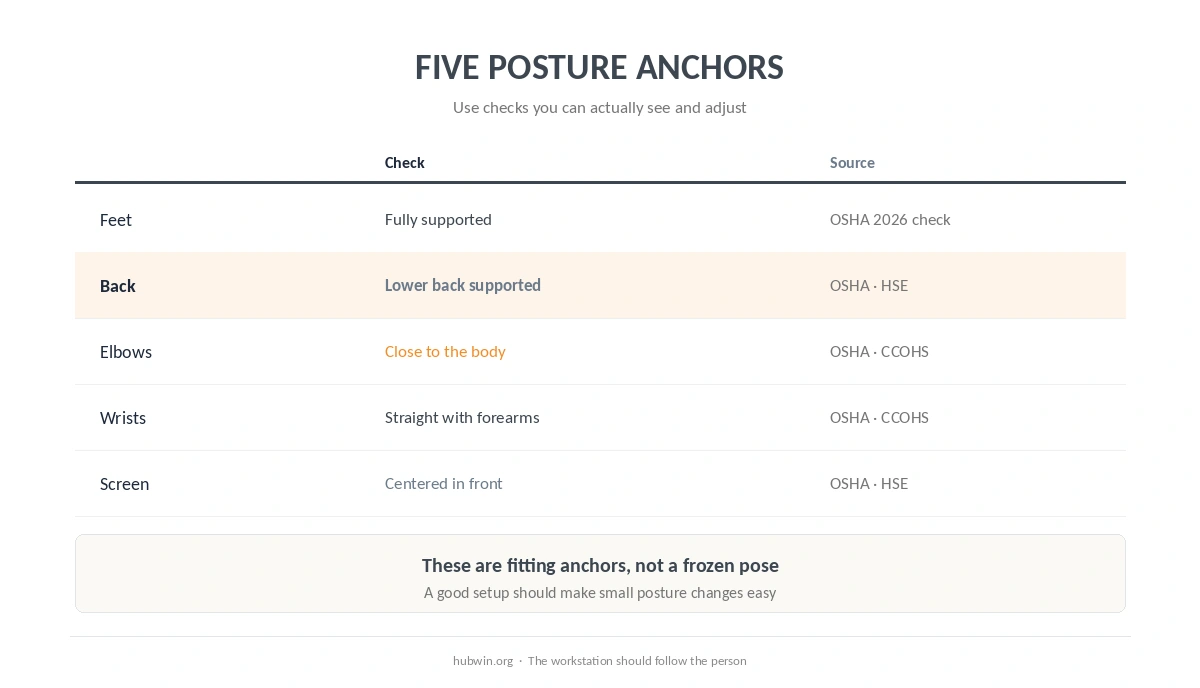
Five Anchors for the Correct Sitting Posture at a Desk
When you set the correct sitting posture at a desk, use five anchors: feet, seat, back, arms and screen. Each anchor maps to a point that the official guidance asks you to support or position. However, none of them should lock you into one position for the whole day.
- Support the feet. Put both feet on the floor, or use a footrest when chair and desk height make that impossible.
- Support the thighs without crowding the knees. Let the seat carry the thighs while leaving a small gap behind the knees.
- Use the backrest. Keep the lower back supported instead of perching forward for long periods.
- Bring the work to the arms. Keep the keyboard in front, elbows close, shoulders relaxed and wrists in line with the forearms.
- Put the screen in front. Keep the primary screen centered so you do not work with the head turned to one side.
Do Your Knees and Elbows Need to Be Exactly 90 Degrees?
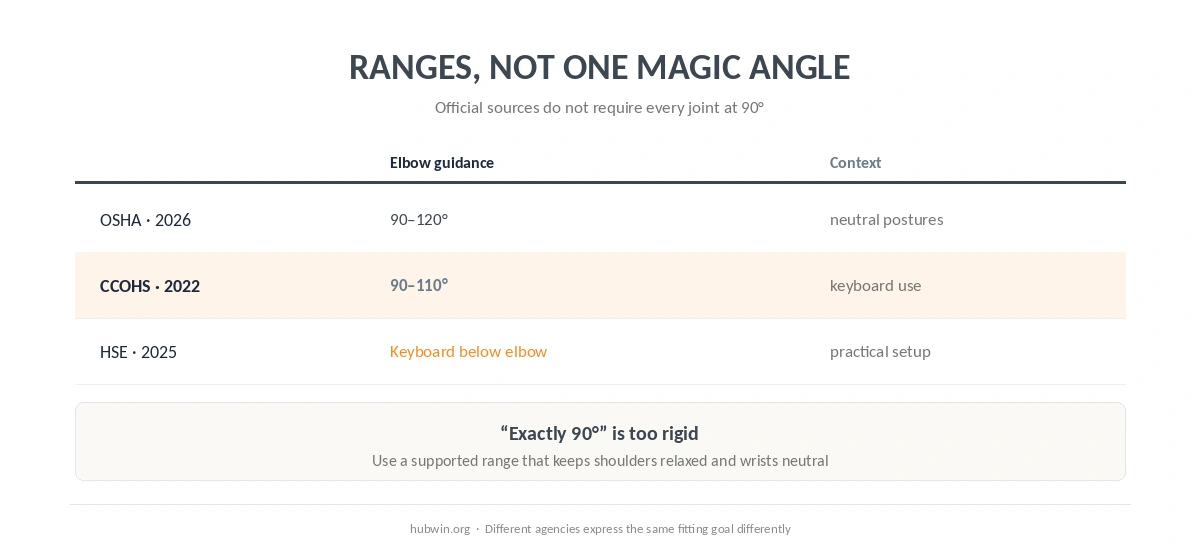
No. OSHA’s 2026-checked guidance gives 90 to 120 degrees for the elbows in neutral computer postures. CCOHS’s 2022 keyboard guidance uses a narrower range of about 90 to 110 degrees. Therefore, “exactly 90 degrees” is not a shared requirement from these sources.
The same caution applies to the hips and knees. OSHA describes several acceptable reference postures, including upright, declined and reclined sitting. In other words, the workstation should accommodate position changes instead of forcing one geometric pose.
Set the Chair Before You Chase Screen Height
The chair establishes the base position. CCOHS’s chair fact sheet, confirmed current in 2026, says a chair is ergonomic only when it fits the worker, workstation and tasks. It also warns that armrests may need adjustment or removal if they stop the user from sitting close enough to the desk. For that related comfort question, see hip pain.
Next, place the keyboard around the relaxed arm position. OSHA’s keyboard page, checked in 2026, says elbows should stay close to the body and the wrists should remain straight. Then place the monitor so the user can see it without leaning or tilting the head back.
| Check | What to look for | Source |
|---|---|---|
| Feet | Fully supported by floor or footrest | OSHA 2026 check |
| Back | Lower back supported by the chair | OSHA 2026 check · HSE 2025 |
| Elbows | Close to body; broad neutral range | OSHA 2026 check · CCOHS 2022 |
| Wrists | Straight and in line with forearms | OSHA 2026 check · CCOHS 2022 |
| Screen | Centered; top around eye level or slightly below | OSHA 2026 check · HSE 2025 |
The Correct Sitting Posture at a Desk Still Moves
The correct sitting posture at a desk should still allow movement. OSHA’s posture guidance, checked in 2026, says even a good working posture should change throughout the day. HSE’s 2025 work-routine guidance likewise says breaks or changes of activity should let users get up, move around, stretch or change posture. A related Health & Comfort guide covers circulation while sitting and the limits of setup changes.
HSE does not set one mandatory interval for every DSE job. However, its 2025 page says short breaks taken often are preferable to longer breaks taken less often. It gives 5 to 10 minutes every hour as an example, while noting that actual timing depends on the work.

A 60-Second Posture Reset
A quick reset is a practical way to re-check the setup without chasing a perfect pose. Start by sitting back in the chair, then check the feet. Next, relax the shoulders and bring the keyboard and mouse close. Finally, center the screen and change position if you have been sitting still.
If the workstation cannot meet these checks at the same time, the problem may be the furniture relationship rather than your discipline. For example, a fixed desk can force the chair too high for the feet while still leaving the keyboard too high. In that case, a footrest or a different work-surface arrangement may be needed.
Common Posture Advice That Is Too Rigid
“Sit perfectly upright all day” is too rigid. OSHA’s 2026-checked guidance includes upright, declined and reclined sitting as neutral reference postures. Likewise, “keep every joint at 90 degrees” is too rigid because OSHA and CCOHS publish ranges rather than one mandatory elbow angle.
“Buy an ergonomic chair and posture is solved” is also too simple. CCOHS, confirmed current in 2026, says a chair alone does not solve workstation problems. The chair, foot support, work surface, monitor and input devices need to work together.
How We Research
HubWin does not diagnose posture problems or test furniture. The HubWin Team read OSHA’s Computer Workstations posture and component guidance on October 7, 2026; HSE’s good-posture and work-routine pages updated March 20, 2025; and CCOHS keyboard and chair fact sheets with their stated revision or confirmation dates. See About HubWin for the research method. Key sources are OSHA, HSE and CCOHS.
FAQ
Use a supported, adjustable position: feet supported, lower back supported, shoulders relaxed, elbows close, wrists straight and the screen centered. Do not treat it as one frozen pose.
The official sources reviewed here do not require one exact knee angle. OSHA describes multiple neutral sitting reference postures and emphasizes support and alignment.
OSHA gives a broad 90-to-120-degree range for neutral computer postures. CCOHS gives about 90 to 110 degrees for keyboard use.
Your feet should be supported. OSHA says the floor can provide that support, or a footrest can be used when desk and chair height make floor support impractical.
Not automatically. OSHA includes a reclined reference posture, provided the body remains supported and the keyboard and screen are still easy to reach and view.
Bottom Line
The correct sitting posture is adjustable, supported and easy to leave. Set the chair and feet first, bring the keyboard and mouse close, center the screen, and keep the wrists neutral. Then change position regularly instead of trying to hold one “perfect” desk pose. For that workstation detail, see typing setup.