
This article is general information, not medical advice. If pain is severe, lasting or getting worse, talk to a doctor. Read our health disclaimer.
Is a bigger desk always better? No. More surface area can help when you need monitor depth, documents or several devices. However, a larger desktop can also push frequently used items farther away. A useful desk is large enough for your real tasks while keeping the keyboard, mouse and other frequent tools easy to reach.
That is why desk size should be treated as a fit problem, not a status symbol. OSHA emphasizes adequate work-surface depth, leg clearance and reachable placement of computer components. The same logic appears in the HubWin ergonomics checklist: the surface has to support the user and the task, not simply fill the room.
Is a Bigger Desk Always Better for Ergonomics?
A bigger desk is not always better for ergonomics because usable space matters more than total square inches. If the monitor is too far away, you may lean forward to read. If the mouse drifts to the side, you may reach repeatedly. Extra width can be helpful, but only when the items you use most stay inside a comfortable primary work zone.
For the core computer setup, start with keyboard and mouse position and monitor viewing distance. Those two requirements often tell you more about the desk you need than a generic label such as compact, executive or extra-large.

What Desk Depth Is Actually For
If you are asking whether a bigger desk is always better, depth is one reason the answer depends on the setup. Depth gives you room to place a monitor at a readable distance while keeping the input devices close enough for relaxed arms. OSHA purchasing guidance says a desk should be deep enough for a monitor at least 20 inches (50 cm) from the eyes. It should also fit the monitor, keyboard and pointing device, with more space added when the job requires documents or other equipment.
A deeper surface is especially useful for large displays or multiple screens, but it does not mean the monitor should automatically sit against the back wall. Use monitor-height guidance and monitor-layout guidance to position the display for the person rather than for the furniture.
When More Width Helps
Extra width can be useful for side-by-side documents, a second monitor or drawing tools. It can also separate temporary work from the central keyboard-and-mouse zone. However, width becomes less useful when it turns into permanent storage. It also loses value if you must twist toward a second work area all day.
If space is tight, a functional limited-space desk can outperform a larger surface that blocks circulation. Small-home-office planning also helps you decide whether the room needs more desktop, more vertical storage or simply fewer objects in the active zone.
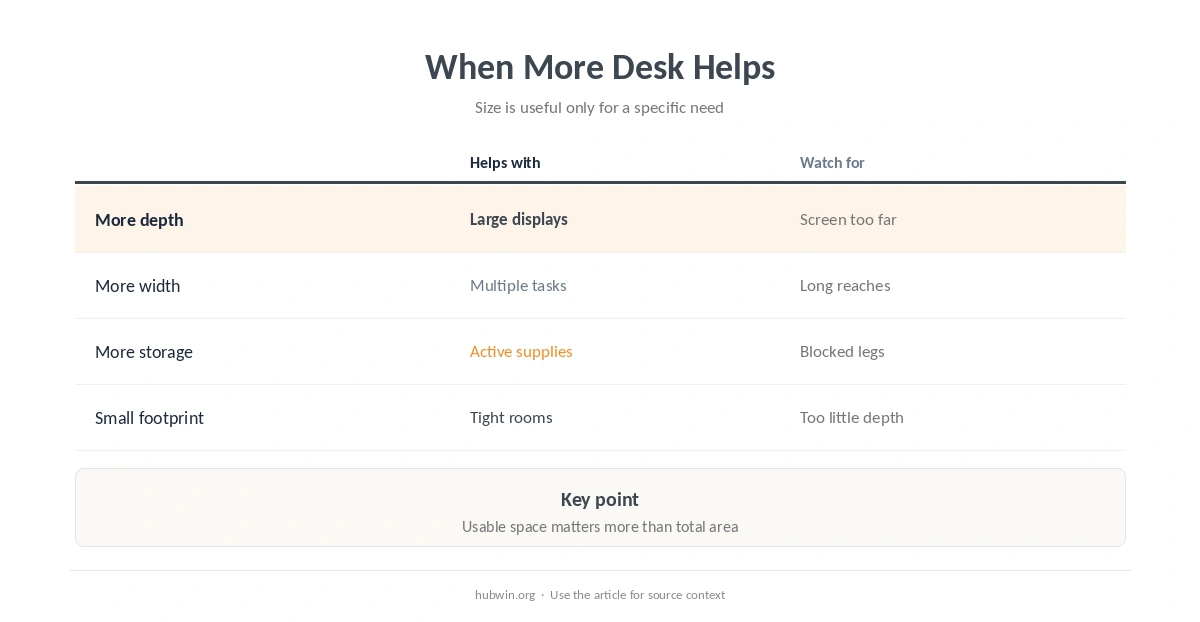
| Desk feature | When it helps | Common mistake |
|---|---|---|
| More depth | Large monitor or document work | Pushing the screen too far away |
| More width | Multiple active task zones | Leaving the mouse outside easy reach |
| More storage | Supplies used during work | Filling leg space under the desk |
| Smaller footprint | Tight rooms and simple setups | Choosing too little monitor depth |
Is a Bigger Desk Always Better in a Small Office?
In a small office, a bigger desk is not always better because room circulation is part of workstation fit. CCOHS notes that space requirements depend on the work, body dimensions, storage, movement, reach and equipment. A desk can fit against the wall yet still make it hard to move the chair. It may also block storage or limit posture changes.
Before buying more surface area, try keeping only active tools on the desk and decluttering the broader workspace. Those changes may recover useful surface area. If cables are occupying the remaining work zone, basic cable organization can create more usable room without increasing the footprint.
Leg Clearance Can Matter More Than Desktop Area
A wide top does not compensate for drawers, computer towers or storage that blocks the space underneath. OSHA recommends enough room for the legs and feet. That clearance lets the user get close to the keyboard and change seated positions. Poor under-desk clearance can force you to sit farther back and reach forward even when the top itself is enormous.
Check sitting desk height, a comfortable seated position and reach placement for frequently used tools as one system. A desk dimension is only helpful when those pieces work together.

A Better Way to Choose Desk Size
To decide whether a bigger desk is always better for your room, measure the equipment and the movements first. Put the monitor at a distance you can read comfortably. Place the keyboard and mouse where your elbows can stay near your sides. Then account for the documents or devices you actually use. Add clearance for the chair and your legs before adding storage.
- Prioritize enough depth for the monitor and input devices before chasing maximum width.
- Keep frequently used items in easy reach; occasional items can live farther away.
- Protect the space under the desk instead of using it as overflow storage.
- Leave enough room around the desk for the chair, doors, drawers and normal movement.
- If the setup still feels cramped, change layout or storage before assuming the only answer is a larger desk.
If you are rebuilding the whole workstation, the essential home-office setup and simple ergonomic changes can help you prioritize adjustments before replacing furniture.
When Desk Fit Is Causing Persistent Discomfort
Desk dimensions can contribute to awkward reaching or constrained postures, but discomfort has many possible causes. If pain, numbness or tingling is severe, persistent or worsening, get medical advice rather than assuming a larger desk will solve it.
How We Research Whether Bigger Desks Are Better
HubWin does not use one universal desk size. We compare workstation requirements such as monitor depth, reach zones, leg clearance and task space using occupational-ergonomics guidance, then separate those requirements from furniture marketing.
Sources reviewed October 9, 2026: OSHA desk and work-surface guidance, OSHA purchasing guide for desks and work surfaces, and CCOHS office space requirements. Read how HubWin researches articles.
No. It should be large enough for proper monitor distance, input devices and task materials without pushing frequently used items out of easy reach.
Enough to place the monitor at a comfortable viewing distance while keeping the keyboard and mouse close. OSHA purchasing guidance uses at least 20 inches (50 cm) of monitor distance as a planning point.
Yes. Excess depth can encourage a monitor or other frequent items to sit farther away than needed, although depth itself is not a problem when the layout remains comfortable.
Height, leg clearance, monitor position, reach, storage, room circulation and the tasks you perform all matter.
Not necessarily. First remove inactive items, improve storage and verify whether the actual problem is depth, height, reach or under-desk clearance.