
This article is general information, not medical advice. If pain is severe, lasting or getting worse, talk to a doctor. Read our health disclaimer.
Walking pads under a desk can add low-intensity movement to parts of a computer workday. Research on treadmill desks shows higher energy expenditure and less sitting, but it does not prove that every walking pad improves long-term health, productivity or comfort for every user.
The useful question is not whether a walking pad is “healthy” in the abstract. It is whether it helps you replace some static desk time without creating a new task or safety problem. That is different from the claims covered in standing-desk myths.
Walking Pads Under a Desk: What Does the Evidence Show?
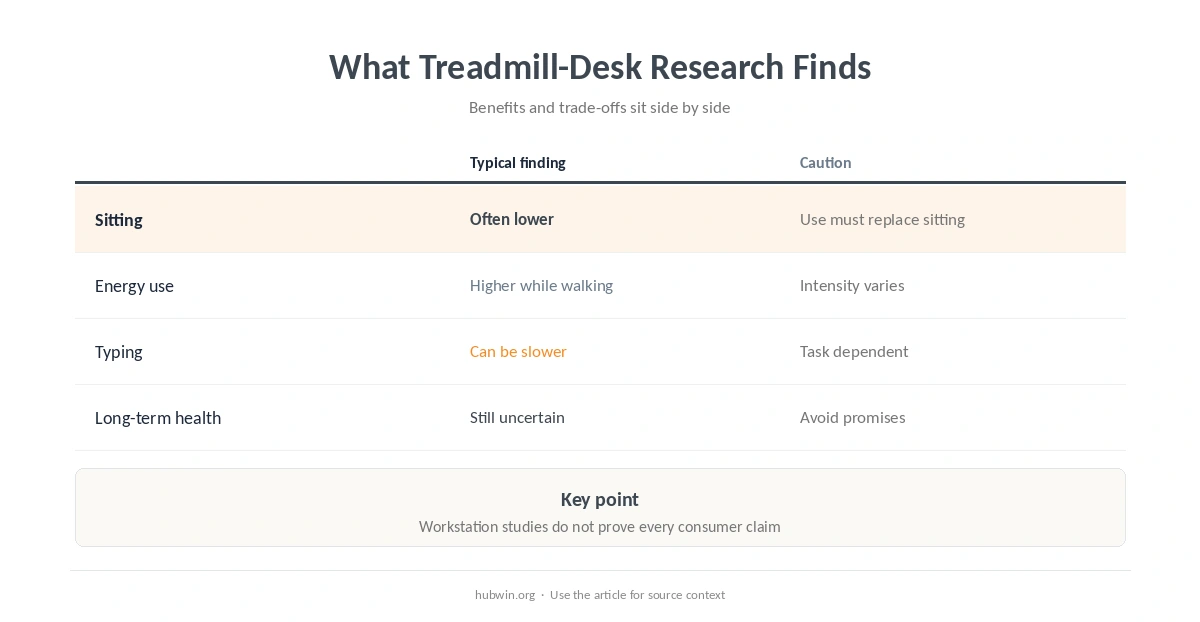
A 2021 systematic review and meta-analysis found that treadmill desks increase energy expenditure and metabolic rate compared with conventional desk work. Walking pads under a desk can therefore add movement when they replace seated work. In workplace studies, users also reduced sitting time modestly across the day. However, the review did not find clear improvements in several cardiometabolic outcomes such as blood pressure.
A 2023 network meta-analysis of active workstations found that treadmill workstations paired with promotion can reduce work-specific sedentary time. The overall certainty of evidence was low, and multicomponent approaches performed well, which again suggests that the equipment is only one part of behavior change.

Walking Pads Under a Desk and Work Performance
Movement can compete with precision tasks. A 2020 meta-analysis reported slower typing with treadmill and cycling workstations. Effects varied by task and setup. Walking pads under a desk may therefore fit some tasks better than others. Separate laboratory work found that one tested slow walking speed preserved typing better than the slower and faster conditions in that study. That result does not create one universal ideal pace.
This is why task matching matters. Walking may fit listening, reading, routine messages or low-stakes calls better than intensive editing, detailed design or work that demands exact mouse control. For concentrated tasks, protecting deep work may matter more than keeping the belt moving.
| Question | What evidence suggests | Practical interpretation |
|---|---|---|
| Sitting time | Can decrease with treadmill workstations | Useful if it actually replaces seated time |
| Energy use | Higher in treadmill-desk studies | Still not a substitute for all weekly exercise |
| Typing | May slow during walking | Match the pad to lower-precision tasks |
| Long-term health | Evidence is still limited | Avoid strong health-benefit promises |
Who May Like Walking Pads Under a Desk?
Walking pads under a desk may suit people who dislike long static periods and have enough floor space for a stable setup. If the main goal is simply to change posture, a sit-stand routine may be simpler. If you want actual movement, the pad offers something standing alone does not.
It may be less useful if your work depends on continuous precise input, if the desk wobbles or if you cannot leave safe clearance around the belt. A small home-office layout should preserve a clear walking path rather than forcing the machine between cables, chair legs and storage.
How to Set Up a Walking Pad More Safely
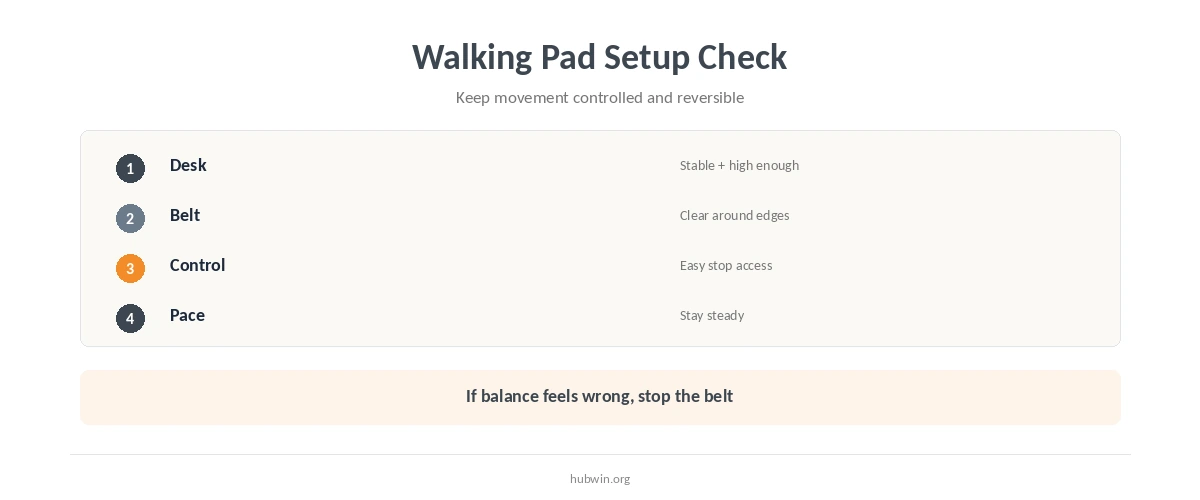
Walking pads under a desk need a stable work surface at the height you use while moving. Keep the belt, power cord and stop control easy to reach. Choose footwear and a pace that feel controlled. Stop the belt before stepping away or reaching for something that pulls you off balance. Review basic office ergonomics so the moving setup does not force awkward reach.
- Start with low-demand tasks instead of combining a new walking setup with your hardest concentration work.
- Keep the area around the belt clear of chair casters, loose cables, pets and objects you could step on.
- Make sure you can stop the machine quickly without leaning or twisting to reach a control.
- Do not type, read or attend a call if walking makes you feel unsteady, dizzy or distracted.
- Change position during the day instead of treating continuous walking as the new all-day posture.
Walking Pads Under a Desk Do Not Replace Every Kind of Activity
Low-intensity desk walking can add movement. Public-health guidelines still include moderate- or vigorous-intensity aerobic activity and muscle strengthening. A walking pad may contribute to your overall movement if the intensity is appropriate for you. Still, workday use should not be assumed to satisfy every guideline automatically.
Use microbreaks and better breaks even if you own a walking pad. You still need periods where the task, posture and visual demand change rather than simply continuing the same computer work while moving.
If you alternate between sitting, standing and walking, standing-duration guidance can help you avoid turning the upright phase into another marathon. A short mobility routine provides another movement option when treadmill walking does not fit the task. For calls or short gaps, movement between calls is another low-equipment option.
When to Talk to a Doctor Before Using a Walking Pad
If you have a condition that affects balance, gait, exercise tolerance or fall risk, ask a clinician whether treadmill walking is appropriate for you. Stop and seek medical advice for persistent pain, repeated dizziness or symptoms that make normal walking feel unsafe. Severe chest pain, fainting or severe shortness of breath needs urgent care.
For recurring workday symptoms, use the home-office health checklist to record when they happen. If the problem is general fatigue rather than pain, work-from-home fatigue troubleshooting may reveal sleep, breaks, workload or setup factors that a walking pad cannot solve.
How We Research Walking Pads Under a Desk
HubWin treats consumer walking pads as a form of treadmill workstation. We use systematic reviews of active workstations for broad claims and keep productivity findings separate from health outcomes because the same device can affect those outcomes differently.
Sources reviewed October 9, 2026: 2021 systematic review and meta-analysis of treadmill desks, 2023 network meta-analysis of active workstations, 2020 review and meta-analysis of treadmill and cycle desks and work performance, typing-speed study during treadmill walking, and CDC adult physical activity guidance. Read how HubWin researches articles.
Studies of treadmill workstations suggest they can reduce sitting time when people actually use them during work.
They increase movement and energy expenditure, but evidence for long-term cardiometabolic outcomes is still limited.
Possibly. Reviews report reduced typing speed during active workstation use, although the effect varies by speed, task and person.
Do not assume so. Public-health guidelines still call for weekly aerobic and muscle-strengthening activity.
People with balance, gait, fall-risk or exercise-tolerance concerns should ask a clinician whether treadmill walking is appropriate.