
This article is general information, not medical advice. If pain is severe, lasting or getting worse, talk to a doctor. Read our health disclaimer.
A sit-stand routine should add variation to the workday, not turn standing into an endurance test. CCOHS guidance says recommendations for sitting and standing intervals vary widely and emphasizes alternating positions as needed while allowing time for the body to adjust. That is a better starting point than copying a fixed ratio from a desk timer. Read the CCOHS sit/stand guidance. A separate Myths & Facts guide looks at sitting and mood.
Start a Sit-Stand Routine by Making Both Positions Work
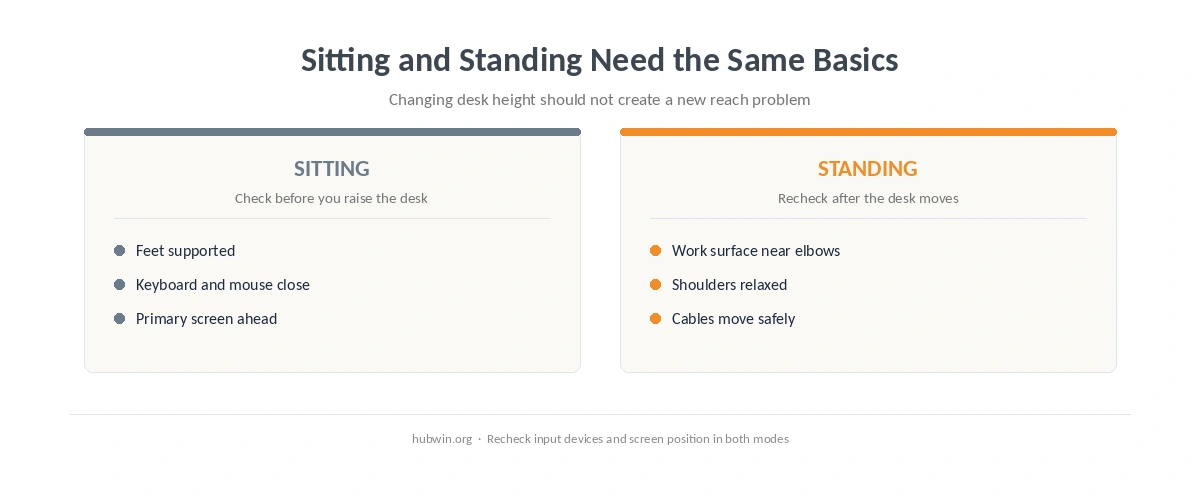
Before you build a sit-stand routine, make sure the workstation is usable at both heights. CCOHS recommends a neutral position in sitting and standing, with the keyboard and mouse aligned, relaxed shoulders and elbows close to the body. In standing mode, it places the work platform approximately at standing elbow height. The screen still needs to remain comfortable to view rather than being left where it worked only while seated. For that related claim, see the evidence on walking pad.
Use the sitting desk-height guide and standing desk-height guide as two separate setup checks. A desk that moves is helpful only if its seated and standing heights both fit the user.
Then revisit keyboard and mouse position and monitor height. Moving the desktop should not leave your input devices farther away or the screen awkward to view.
Build the Sit-Stand Routine Gradually
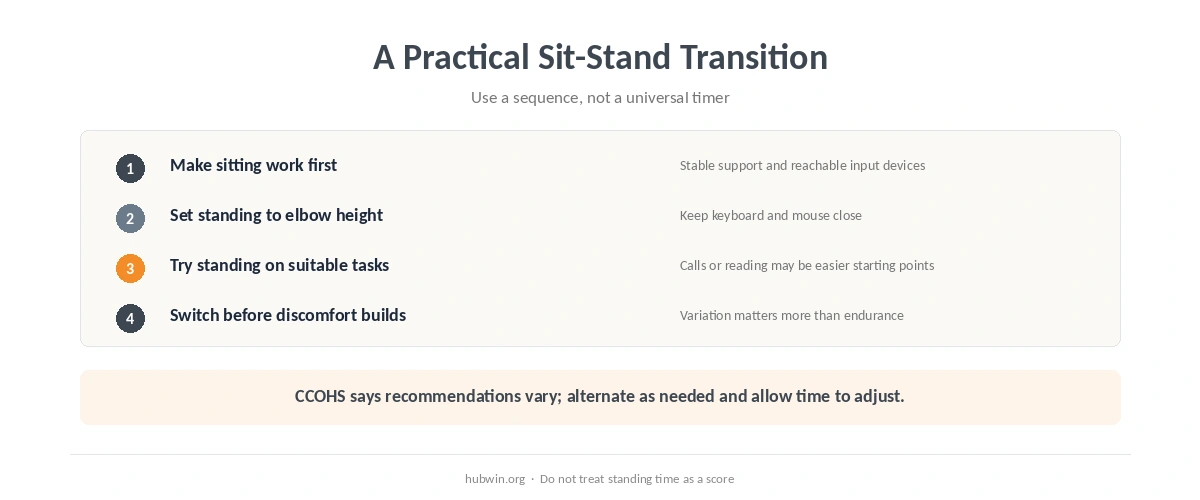
CCOHS does not endorse one universal schedule. Its guidance notes recommendations ranging from very short standing periods to switches every 20, 30, 45 or 60 minutes, then says the key is to alternate as needed and allow time to adjust. Because the official guidance itself varies, HubWin does not turn one of those examples into a rule.
- Begin with tasks that feel easy to do standing. A short call, reading session or routine administrative task may be a simpler starting point than precision work.
- Return to sitting before standing becomes the challenge. The purpose is position change, not accumulating standing minutes.
- Notice what changes when the desk moves. Recheck reach, screen position, cables and anything stored under or around the desk.
- Keep changing the day, not just the desk. Walking to get water or doing a non-screen task adds movement that a static standing posture does not.
This is also why standing all day is not the answer. A 2014 NIOSH review found consistent reports of low-back discomfort, fatigue, muscle pain and leg symptoms with prolonged occupational standing, and concluded that dynamic movement appeared to be the most promising common approach. Read the NIOSH review summary.
Use Cues Instead of Chasing a Perfect Sit-Stand Ratio
A sustainable sit-stand routine can use cues rather than a stopwatch. When you feel restless after sitting, change position. Once standing starts to feel tiring, sit or move. For work that needs steady fine control, use the position that makes the task easier. This keeps the routine tied to the work rather than to a number.
NIOSH’s current office-environment guidance, published in July 2026, says workers should not have to sit or stand for too long and gives posture change and short breaks as examples of better task design. It also notes that equipment changes are only one part of the solution; how the work is organized matters too. See the 2026 NIOSH office guidance.

A Sit-Stand Desk Does Not Replace Breaks
Changing desk height is still screen work. HSE guidance, updated in 2025, recommends breaks or changes of activity for display-screen work and favors short, frequent breaks over occasional long ones. It says breaks should let users move around, stretch or at least change posture. A microbreak plan therefore remains useful even after you start alternating between sitting and standing.
If you are unsure whether the workstation works in both modes, run through the home-office ergonomics checklist. Persistent or worsening pain is a different issue from finding a comfortable desk routine; do not use more standing as a substitute for medical assessment when symptoms need care.
How We Research
HubWin reviewed CCOHS sit/stand desk guidance, the NIOSH 2014 review summary on prolonged standing, NIOSH office-environment guidance published in 2026, and HSE display-screen break guidance on October 8, 2026. We report the disagreement in timing recommendations instead of inventing one ideal ratio. Learn how HubWin researches articles.
FAQ
There is no single official interval that fits everyone. CCOHS lists widely varying recommendations and emphasizes alternating as needed while allowing time to adjust.
Not necessarily. A fixed split is easy to measure but is not the same as an evidence-based universal target. Focus on changing position and keeping both setups workable.
Only if standing suits the task and feels comfortable. Calls can be an easy trigger for position changes, but they do not need to become a rule.
Yes. HSE treats breaks or changes of activity as part of display-screen work planning. Standing at the same screen is still screen work.
Change position rather than pushing through it. If pain is severe, lasting or getting worse, talk to a doctor rather than trying to solve it by increasing standing time.
The Bottom Line
Build a sit-stand routine around variation: make both desk heights usable, start gradually, switch before one posture becomes tiring, and keep taking real breaks from screen work. The useful target is not a standing percentage; it is a workday with more opportunities to change position and move.