
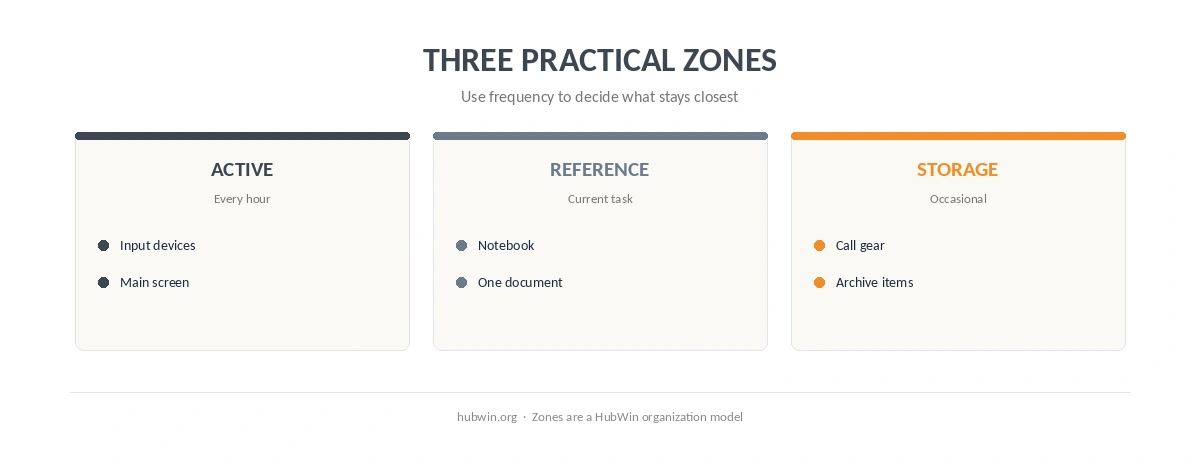
Learning how to create zones in a small home office does not require dividing the room into miniature departments. Instead, give the limited surface a clear order: active work in the easiest reach, reference items nearby, and storage outside the main reach zone. OSHA does not use the word “zones” for this idea, but its workstation checklist says frequently used items should stay within easy reach while occasional items can sit farther away.
How to Create Zones in a Small Home Office Around Reach
First, build the active zone around what your hands use every hour. Keep the keyboard and mouse close, center the main screen, and leave enough room for your forearms. The limited-space desk guide helps when the surface itself is tight, while the keyboard and mouse guide shows why reaching matters.
In practice, how to create zones in a small home office starts with frequency rather than decoration. Put the daily tools closest to you, then move occasional objects outward. The keep-only-what-you-use guide is useful before you assign any permanent location.
How to Create Zones in a Small Home Office Without Adding Furniture
Next, use behavior to create zones when the room cannot create them physically. A tray can hold call gear, one shelf can hold reference material, and a drawer can become the reset destination for low-frequency tools. The easy-to-maintain office guide and small-desk organization guide both favor predictable homes over more containers. For the organization side, see home office organization.
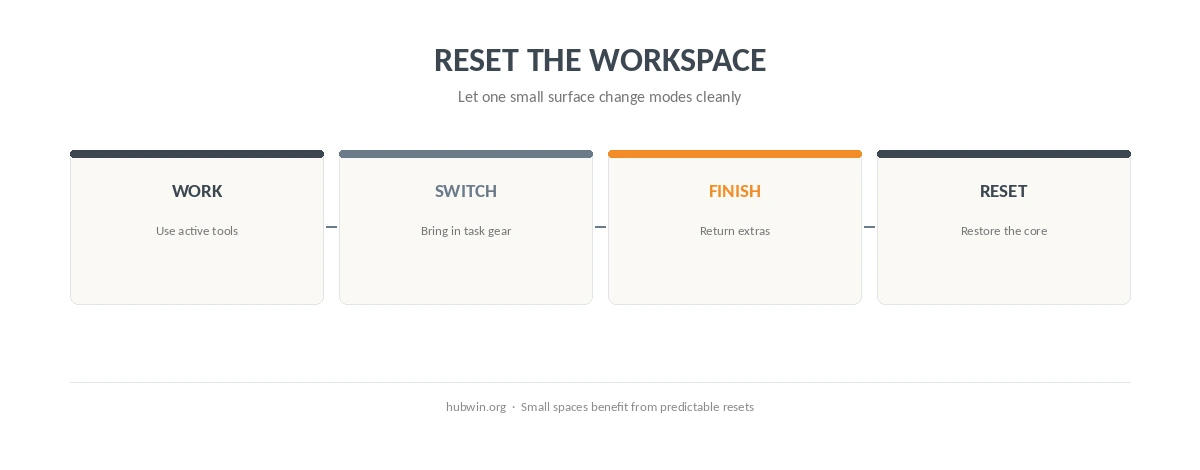
Also, how to create zones in a small home office works better when the zones can overlap over time. For example, the same clear surface can support focused typing during one block and a notebook during planning. The flexible setup guide explains how to keep the core workstation stable while task-specific items move in and out.
| Zone | Keep here | Move elsewhere |
|---|---|---|
| Active work | Keyboard, mouse, main screen | Low-use accessories |
| Reference | Notebook or document used now | Old notes and archives |
| Calls | Headset or webcam when needed | Call gear between meetings |
| Reset/storage | A fixed home for occasional items | Anything that blocks current work |

Use Vertical Space Carefully, Not Automatically
Vertical storage can free desk area, but it should not make frequently used tools harder to reach. Therefore, reserve shelves and wall storage for things you do not need continuously. The apartment home-office guide and small home-office guide offer more ways to protect floor and desk space. The daily tidy guide helps keep those outer zones from drifting back onto the desk.
Meanwhile, keep cables out of the working and walking path. The under-desk cable guide and home-office cable guide focus on routing rather than hiding every cable for appearance.
How We Research
HubWin read OSHA’s computer workstation evaluation checklist and purchasing guide, plus NIOSH’s working-from-home guidance. We rechecked these sources on October 8, 2026. The three-zone model in this article is HubWin’s organizational framework built from reach and workspace guidance; the agencies do not prescribe named desk zones. Learn how HubWin researches articles.
FAQ
There is no official count. Start with an active work area, a nearby reference area, and a place for lower-use items; combine them when space is limited.
No. Keep high-frequency tools close and move lower-frequency items away from the active surface.
No. Drawers, trays, fixed homes, or time-based use of the same surface can create useful separation.
Keep it accessible for meetings, but move it out of the active typing area if it blocks normal work.
Yes. In a small room, the same physical area can serve different tasks as long as the core workstation remains usable.
The Bottom Line
The simplest answer to how to create zones in a small home office is to organize by frequency and task. Keep current work close, give occasional tools a fixed home, and let one surface serve several modes without rebuilding the workstation. The decluttering guide is a good next step if too many items are competing for the active zone.