
How to create a clean cable setup under the desk starts with safety, not with hiding every wire. CDC/NIOSH’s 2026 office-safety guidance lists cords across walkways as a physical hazard. CPSC also warns against damaged or overloaded extension cords and power strips. The useful goal is a cable system that stays out of foot traffic and remains easy to inspect. You should also be able to change it without dismantling the desk. Read the 2026 CDC/NIOSH office guidance.
How to Create a Clean Cable Setup Under the Desk: Start by Removing
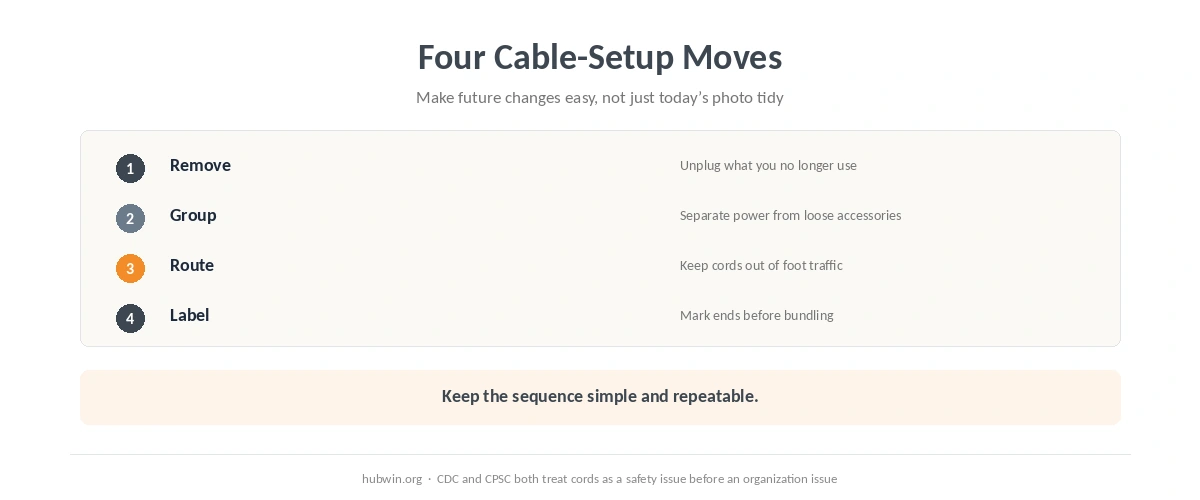
Create a clean cable setup under the desk that remains easy to inspect after the first tidy-up. Unplug devices you no longer use and separate permanent desk equipment from occasional accessories. Fewer active cables are easier to route, easier to identify and easier to inspect. The home-office cable management guide covers the room as a whole; this article focuses on the concentrated mess below the work surface. A related organization guide covers charger organization.
Before bundling power cords, check for visible damage. CPSC safety material advises replacing cracked or worn cords, while OSHA guidance tells workers to remove defective extension cords from service. If you see damage on a cord, plug or power strip, stop using it. The same applies if a cord becomes hot during use. See the CPSC extension-cord safety poster.
How to Create a Clean Cable Setup Under the Desk Without Creating New Hazards
Keep electrical connections accessible and away from places where feet, chair wheels or doors can crush them. OSHA’s internal safety manual says extension cords should not create tripping hazards or run through doorways where closing doors can damage them. The small home-office changes guide also treats easy reach and clear movement paths as part of a usable workstation. The daily posture checklist is a quick way to check that the cable route has not narrowed your leg space.
Do not solve a shortage of outlets by chaining power strips or extension cords together. ESFI’s home-office guidance says to use extension cords only temporarily. It also says not to overload them or run them under rugs, carpets, doors or windows. If your desk needs permanent power in a place with no suitable outlet, that is an electrical-layout problem rather than a cable-tidy problem. Read ESFI’s work-from-home electrical guidance.

Group by Function, Then Leave Enough Slack to Move the Desk
Once power is safe, group cables by what you need to service together: display, computer, charging and occasional accessories. Labels at both ends save time when two black cables disappear into the same tray. Keep enough slack for monitor arms, sit-stand movement or pulling the desk forward without stressing connectors. The laptop and monitor setup guide can help you identify which display and power leads actually need to move.
Avoid tying every cable into one rigid rope. A few simple reusable ties at sensible intervals are easier to change than dozens of tight fasteners. If the desk is small, the small-desk organization guide helps decide what belongs below the desk and what should leave the workstation entirely.
Keep the Cable Setup Easy to Maintain
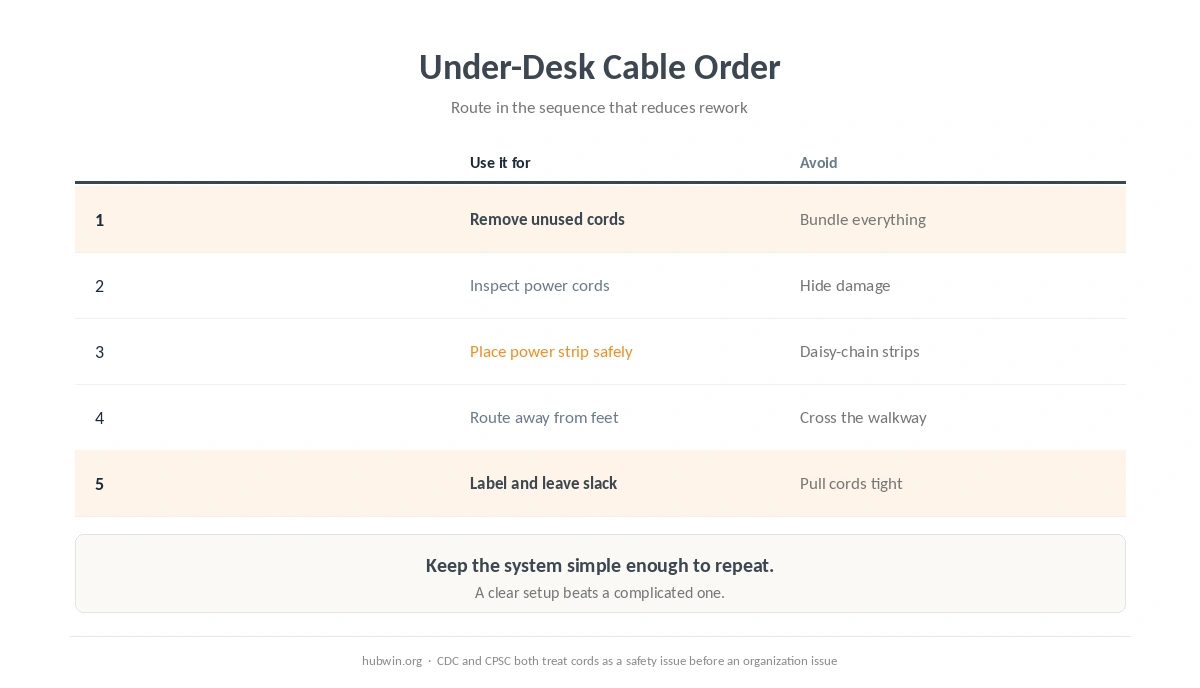
A clean cable setup under the desk should survive the next device change. That is how to create a clean cable setup under the desk without making future service harder. Leave the power strip reachable, keep labels visible and avoid routing a charging lead behind furniture you move every day. The minimal home-office setup is useful if cable growth is really equipment growth in disguise.
Every few months, look for the obvious problems: a cord that has migrated into a walkway, a chair wheel pressing on a lead, a new adapter sitting under a pile of paper or an extension cord that became permanent. The beginner home-office guide, common home-office mistakes and minimal setup checklist can help keep the rest of the workstation from drifting at the same time.
How We Research
HubWin checked CDC/NIOSH Office Environments guidance published July 16, 2026, CPSC extension-cord safety material, OSHA guidance on extension cords and ESFI’s electrical-safety guidance for working from home. HubWin rechecked these sources on October 8, 2026. We use safety sources for power routing and keep purely organizational advice separate. Read OSHA’s extension-cord rules and see how HubWin researches articles.
FAQ
No. Keep connections accessible enough to inspect, unplug and change safely. A hidden bundle is not automatically a better setup.
No. ESFI advises against running extension cords under rugs or carpets, and extension cords should be temporary rather than permanent wiring.
Do not daisy-chain power strips or extension cords. Use a properly located outlet and equipment rated for the connected load.
Use ties only tight enough to guide the bundle. Do not crush cords or make them impossible to service. Leave movement slack where equipment moves.
Stop using damaged cords and replace the cord or equipment as appropriate. Cable management does not make electrical damage safe.
The Bottom Line
How to create a clean cable setup under the desk is a five-step job: remove unused cords, inspect power leads, place power safely, route away from feet and pinch points, then label and leave service slack. Make the setup easy to inspect and change. Neatness should follow safety, not hide it.