
A portable home office is a small work kit you can set up repeatedly in different rooms or locations. Keep the core pieces limited, use the same setup order each time, and adapt the temporary surface instead of carrying a miniature permanent office.
This differs from simply working wherever the laptop lands. OSHA says laptops used as a primary computer should follow the same basic workstation principles as desktop computers, with a separate keyboard and input device. Start with the laptop setup guide and minimal home-office setup.
Build a Portable Home Office Around a Core Kit
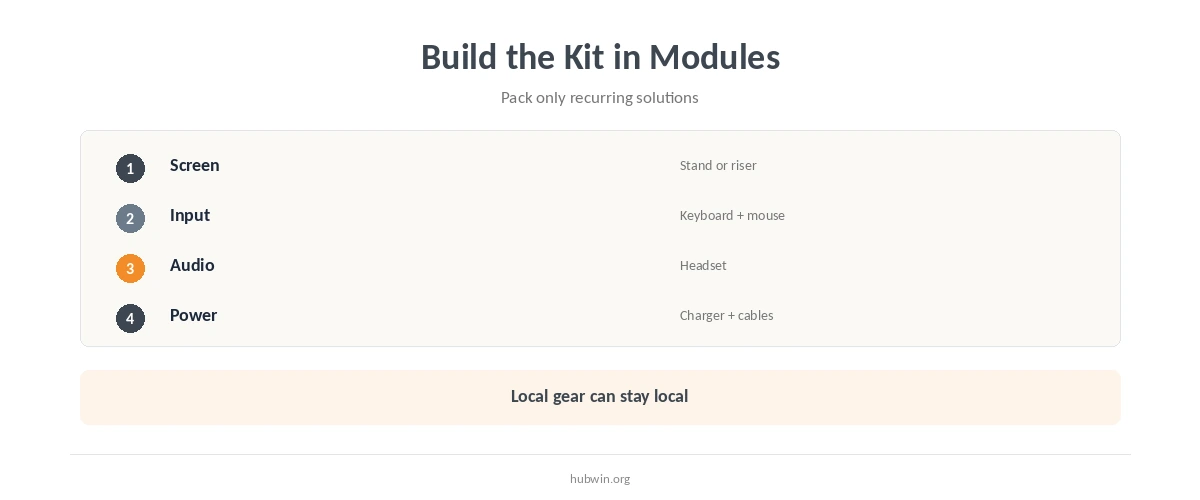
Build a portable home office around the smallest set of accessories that changes the way you work. For many laptop users, that means a stand or stable riser, compact keyboard, mouse, headset, charger, and a short cable pouch. Add only what solves a repeat problem.
If you use an external screen at one regular location, treat it as local equipment rather than portable equipment. The laptop-and-monitor guide covers that hybrid arrangement, while the laptop-stand guide helps decide whether a stand belongs in your kit.
Use the Same Portable Home Office Setup Order
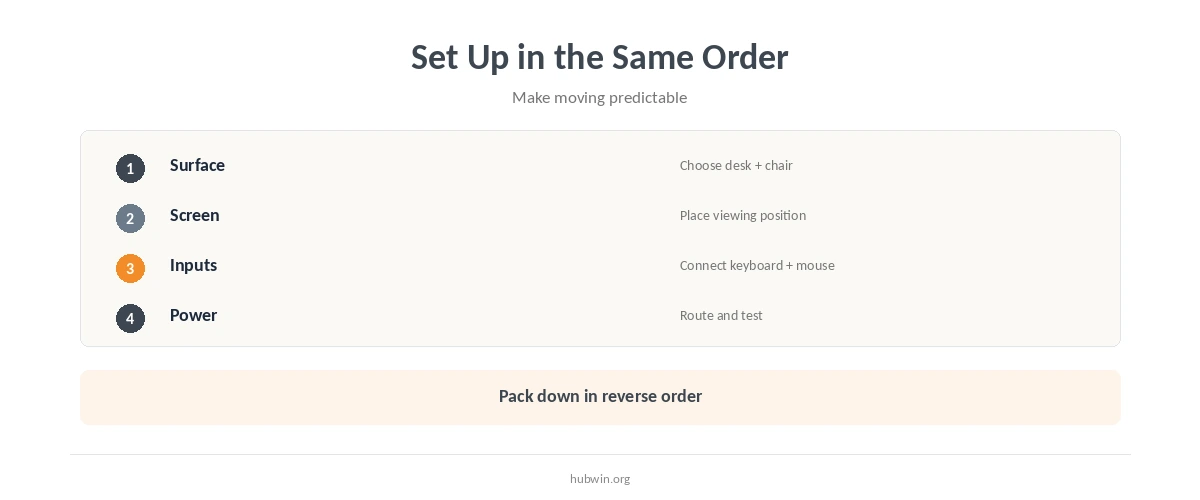
A portable home office becomes easier to move when a repeatable setup order reduces fiddling. First choose the work surface and chair. Then place the screen, add the keyboard and mouse, connect power, set up audio, and clear the immediate area. Pack down in reverse so small accessories return to the same pouch.
The sequence can borrow from faster desk startup and the quick desk reset. The point is not ritual for its own sake; it is reducing setup decisions each time you move.
Choose Temporary Surfaces by What They Let You Adjust
A portable kit cannot fix every table. Look for a surface that gives enough screen distance, room for input devices, and a chair position that lets you work without crowding the edge. CCOHS notes that household objects can sometimes improve a temporary workstation.
Kitchen tables and couches often create different compromises. Compare working from a couch, small-office setup, and flexible home-office setup when choosing where the portable kit will land.
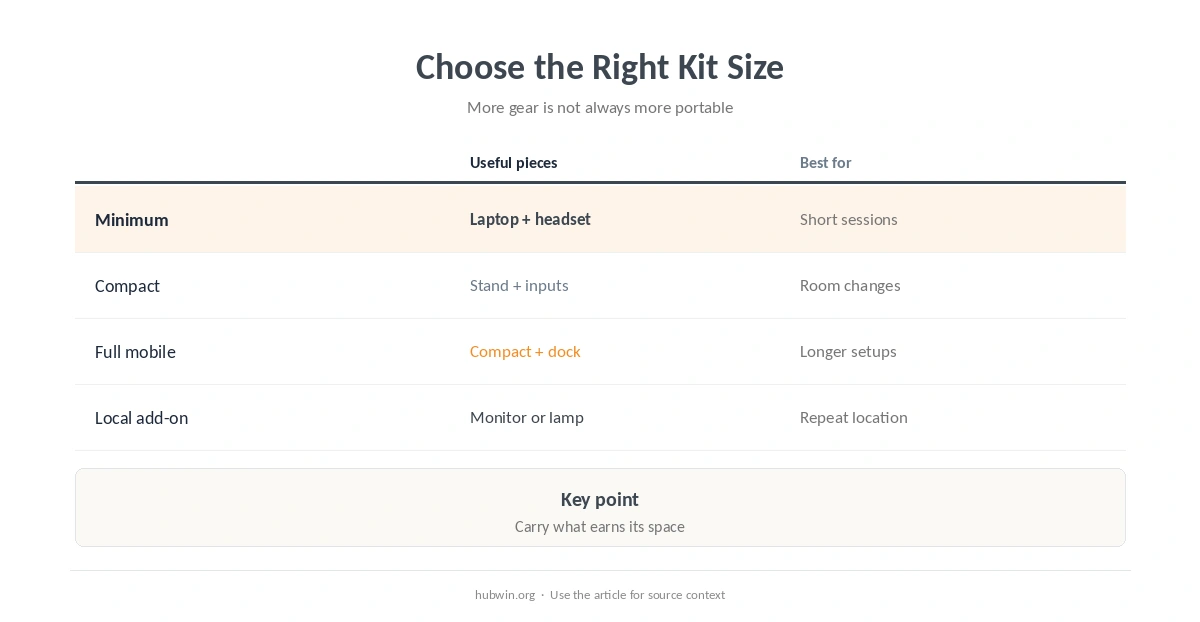
| Kit level | Useful pieces | Best for |
|---|---|---|
| Minimum | Laptop, headset, charger | Short sessions |
| Compact | Stand, keyboard, mouse | Regular room changes |
| Full mobile | Compact kit plus dock | Longer temporary setups |
| Local add-on | Monitor or lamp left in place | Repeat location |
Keep Screen Height and Input Height Separate When You Can
Raising the laptop screen can improve viewing position, but it also raises the built-in keyboard. A separate keyboard and mouse let you place the screen and inputs independently. OSHA includes this recommendation for laptops used as a primary computer.
Use the laptop-stand setup guide, keyboard and mouse positioning, and screen distance to tune each temporary location. Do not chase identical measurements in every room; preserve the basic relationships.
Pack Power and Cables as One Module
Keep the charger, short extension solution if appropriate, and accessory cables in one pouch. Label uncommon adapters. Before settling into a room, confirm that the power route does not cross the normal walking path.
The cable organization guide is useful even for a mobile setup because portability increases reconnection. Keep the pouch simple and remove obsolete adapters when you change devices rather than carrying every cable indefinitely.
Add Location-Specific Items Only When They Earn Their Space
A compact lamp, webcam, notebook, or small document holder may be worthwhile for a specific job, but each item adds packing and setup friction. Ask whether it solves a problem you encounter often enough to justify carrying it.
This is where simple habits before expensive gear and the essential setup guide are useful filters. A portable home office should become easier to move over time, not gradually turn into a second full office.
Separate Carry Gear from Location Gear
Not every useful item needs to travel. If you work in the same two rooms, keep bulky low-cost items such as a lamp, riser, or spare charger where they are used and carry only the pieces that must move with the computer. This can make the mobile kit smaller without reducing what each location can do.
Review the kit after a week of real moves. Anything that stayed in the bag every time is a candidate to remove, while an item you repeatedly borrowed may deserve a permanent place in the kit. The goal is a portable home office that becomes more predictable as your work pattern becomes clearer.
How We Research Portable Home Offices
HubWin treats portability as a temporary-workstation problem. OSHA recommends using desktop-style principles for laptops used as a primary computer and providing separate input devices. CCOHS says home workspaces should meet normal safety principles where possible and notes that household objects can improve temporary setups.
Sources reviewed October 9, 2026: OSHA workstation evaluation checklist, OSHA purchasing guide, and CCOHS telework guidance. Read how HubWin researches articles.
Start with the smallest set that solves recurring problems, such as a laptop stand, compact keyboard, mouse, headset, charger, and cable pouch.
Not necessarily. If you return to one location often, leaving a monitor there can be more practical than treating it as part of the mobile kit.
A stand changes screen height. For longer typing, a separate keyboard and mouse let you adjust the screen and inputs independently.
Use the same setup and pack-down order, keep cables in one pouch, and remove accessories that do not solve a recurring problem.