
This article is general information, not medical advice. If pain is severe, lasting or getting worse, talk to a doctor. Read our health disclaimer.
Are laptop stands necessary? No—not as a specific accessory. For prolonged laptop work, HSE recommends a separate keyboard and mouse. That lets you elevate the screen on a laptop riser or similar, or use a separate display. NIOSH also says you can raise a monitor with a book or box when needed. The evidence-based goal is independent screen and input-device positioning, not ownership of a stand. Read the HSE laptop setup guidance. If that setup matches your space, see a desk for laptop and desktop use.
Are Laptop Stands Necessary for Prolonged Work?
The design problem is simple: a laptop combines the screen and keyboard in one device. If the keyboard sits at a comfortable typing height, the screen may be low. If you raise the whole laptop so the screen is easier to view, the built-in keyboard also rises. The ergonomic laptop setup guide explains this tradeoff, while the laptop and monitor guide shows the external-display option.
HSE’s prolonged-use guidance solves the conflict by separating the functions. NIOSH says an external monitor is generally more ideal for display and suggests a book or box to elevate a monitor if needed. That means the stand is only one implementation. A stable platform, monitor arm or external display can solve the same height problem when used safely.

Are Laptop Stands Necessary if You Already Have a Monitor?
Usually not for the same purpose. If the external monitor is the main screen, place it at a useful height. The laptop can then stay lower or off to the side as a secondary device. The monitor-height guide covers screen placement, while the keyboard and mouse guide covers the input side of the setup.
For a one-screen setup, raising the laptop can be useful. However, you still need a way to type and point without reaching up to the elevated machine. The sitting-posture guide and ergonomics checklist can help you check the whole workstation instead of treating a stand as a standalone fix.
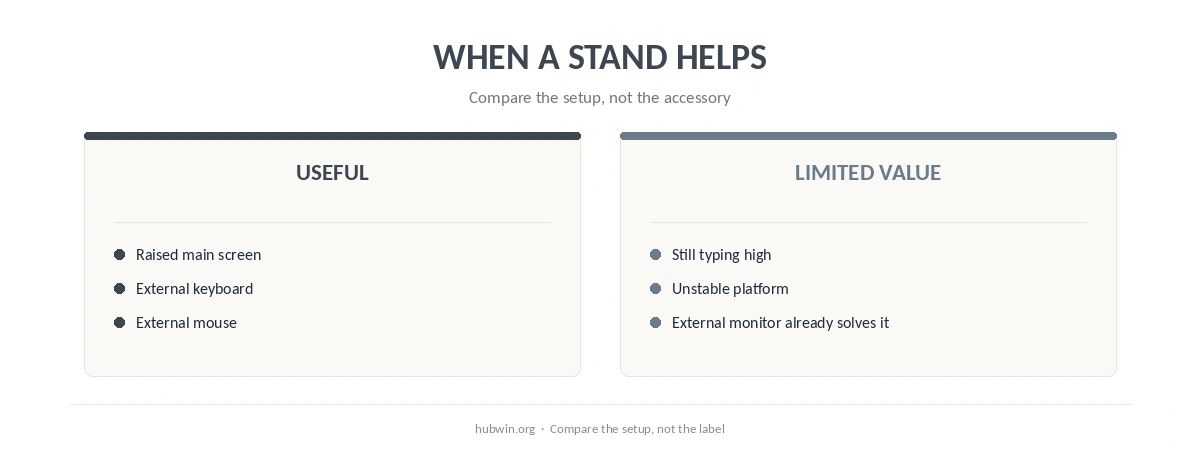
When a Laptop Stand Adds Little Value
A stand adds little if it does not change the screen height. It also adds little if you still type on the elevated laptop or the platform is unstable. It can also be unnecessary for short, occasional laptop use where the machine is not functioning as a full-day workstation. If you are still asking whether laptop stands are necessary, identify the screen-position problem before choosing the accessory.
Do not buy a stand before fixing a simpler constraint. A chair or desk mismatch can still force awkward reach even with the screen raised. The non-ergonomic desk fixes and budget ergonomics guide prioritize changes that affect the whole setup. The minimal setup guide is useful if you are trying to avoid accessory creep.

The Myth: A Stand Automatically Makes a Laptop Ergonomic
That claim is too broad. A stand can raise a screen, but it does not automatically place the keyboard, mouse, chair or desk correctly. HSE’s guidance treats those components as a system. NIOSH does the same in its home-working guidance.
The better question is not only are laptop stands necessary. Ask whether your setup lets the screen and input devices sit where you need them. For longer work sessions, the long-hours setup guide shows why repeated small compromises matter more than the name of the accessory.
How We Research
HubWin read HSE’s current DSE posture guidance and NIOSH’s working-from-home ergonomics guidance on October 8, 2026. For prolonged laptop use, HSE specifically recommends a separate keyboard and mouse. It then recommends raising the laptop on a riser or similar, or using a separate display. NIOSH also describes raising a display with a book or box. Neither source says a commercial laptop stand is mandatory. Read the NIOSH guidance and see the HubWin research method.
FAQ
No. They are one way to raise a laptop screen, not a universal requirement.
A stable platform can raise a display. NIOSH explicitly mentions a book or box for elevating a monitor when needed.
For prolonged use, HSE recommends a separate keyboard and mouse so the elevated screen does not force the input devices too high.
Then the monitor may solve the main screen-height problem, so a laptop stand can be optional.
A stand changes screen position; it is not a treatment and it cannot explain persistent pain. Review the full setup and seek medical advice for severe, lasting or worsening symptoms.
The Bottom Line
So, are laptop stands necessary? No. For prolonged laptop work, what matters is creating independent control over screen height and keyboard/mouse position. A stand is one way to do that, not the requirement itself.