
This article is general information, not medical advice. If pain is severe, lasting or getting worse, talk to a doctor. Read our health disclaimer.
A budget home office can improve without replacing the whole desk and chair. HSE home-working guidance updated in 2025 says dedicated office furniture is not always necessary, although existing home furniture may also be unsuitable. The practical order is to adjust what you have, identify the remaining mismatch, and buy only the item that solves it. If symptoms are the main concern, see our guide on improving home-office air quality.
Budget Home Office: Fix Position Before Buying Gear
Start with the relationships that cost nothing to change. OSHA workstation guidance checked in 2026 focuses on foot and back support, neutral reach, and equipment within easy reach. The office ergonomics guidelines collect the source ranges, while the chair adjustment guide turns the chair checks into a sequence.
Next, move the keyboard and mouse before shopping. OSHA guidance checked in 2026 keeps the keyboard directly in front, the shoulders relaxed, and the pointer close enough to avoid unnecessary reach. Our keyboard and mouse position guide shows those relationships without requiring a new input device. If that is the part you are changing next, see office gear.

Budget Home Office Upgrades Should Solve One Constraint
A budget home office upgrade makes sense when a free adjustment cannot solve a measured problem. For prolonged laptop use, HSE 2025 recommends a separate keyboard and mouse so you can raise the screen, or a separate display. The laptop setup guide explains that tradeoff, and the monitor-height guide covers screen placement.
CCOHS furniture guidance revised in 2026 says ergonomic labels do not guarantee fit and encourages assessing the worker, tasks, equipment, available space, lighting and power before buying. For a budget home office, price should follow the problem, not lead it. The simple ergonomic changes guide is a useful second pass before you add another accessory.
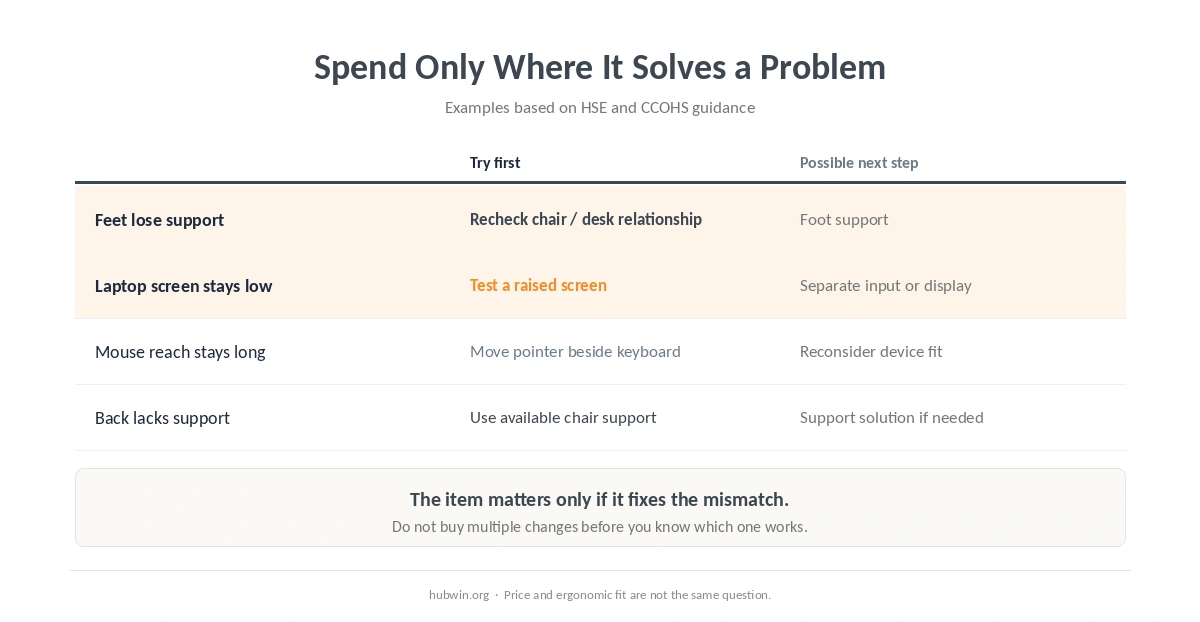
| Constraint | Try first | Buy only if needed |
|---|---|---|
| Feet lose support | Adjust chair and desk relationship | Foot support that restores stable contact |
| Laptop screen is too low | Raise screen temporarily for testing | Separate keyboard/mouse or external display for prolonged use |
| Mouse requires a long reach | Move pointer beside keyboard | Different input device only if position or fit remains poor |
| Back lacks support | Use the chair adjustments already available | Support solution only if the chair cannot provide a usable fit |
A Simple Buying Order
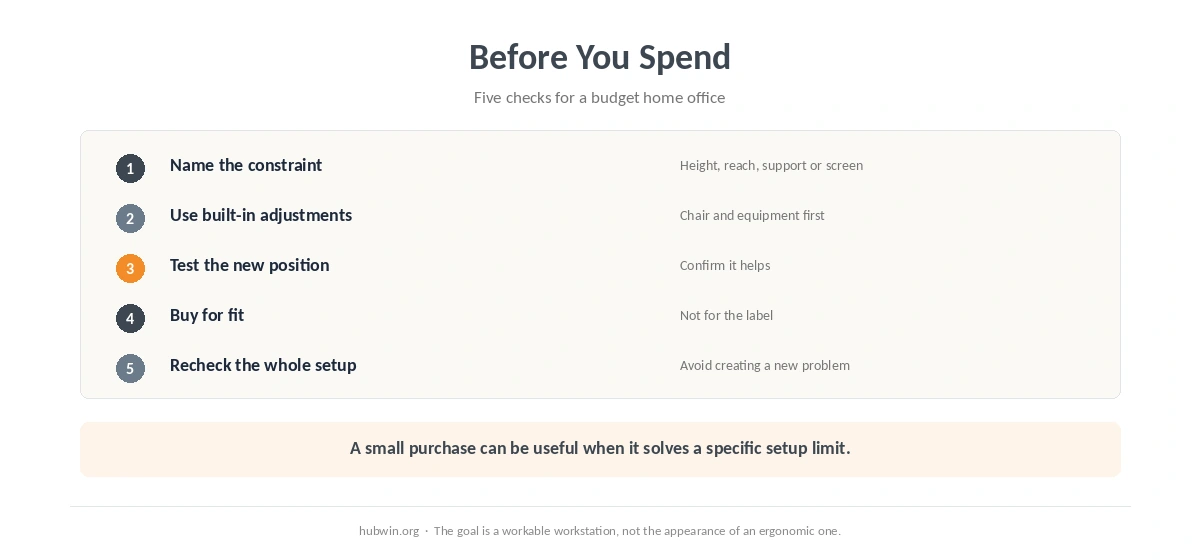
- Measure the problem. Note which relationship is forcing reach, shrugging, unsupported feet or a poor viewing position.
- Use built-in adjustments. Chair height, back support, screen placement and input-device position come before accessories.
- Test a temporary fix. Confirm that changing the height or position actually improves the setup before spending. A dedicated setup guide covers working from a kitchen table.
- Buy for fit. CCOHS 2026 recommends matching furniture and equipment to the user and task rather than trusting an ergonomic label.
- Recheck the whole workstation. One new item should not create a new height or reach problem elsewhere.
Related: For the next step, use our chair-versus-desk guide. If the second issue is closer to your problem, see the common home-office mistakes guide.
How We Research
HubWin checked HSE home DSE guidance, updated January 17, 2025, and HSE posture guidance dated March 20, 2025. We also checked CCOHS purchasing ergonomic office furniture guidance, revised May 5, 2026. We rechecked the sources on October 8, 2026. See About HubWin for our research method.
FAQ
Yes. HSE guidance updated in 2025 says dedicated office furniture is not always necessary. What matters is whether the existing setup supports a comfortable, sustainable working posture.
Start with chair height, foot support, keyboard and mouse reach, and screen position. These relationships often reveal whether the real problem is furniture height, equipment placement or lack of adjustability.
No. CCOHS guidance revised in 2026 says an ergonomic label does not guarantee comfort or fit. Furniture has to match the worker, workstation and tasks.
For prolonged laptop use, HSE 2025 recommends a separate keyboard and mouse so you can elevate the screen, or a separate display. The right choice depends on the workstation.
A one-change-at-a-time approach makes it easier to judge whether an adjustment improves the setup and whether it creates a new problem elsewhere.
Bottom Line
A good budget home office starts with free positioning changes and a clear diagnosis of the workstation mismatch, not a cart full of accessories. HSE and CCOHS guidance supports assessing the setup first. Spend where an item solves a specific height, reach, support or screen-position problem.