
To avoid buying unnecessary office gear, start with the problem rather than the product. Write down what is not working, adjust what you already own, and check whether the remaining constraint you can describe in concrete terms such as height range, reach, clearance, screen placement, or storage. Buy only when the new item has a feature that addresses that named constraint.
This approach is compatible with a minimal home-office setup, but it is not an anti-shopping rule. Some upgrades are useful. The point is to separate a real fit or workflow need from the urge to improve the desk simply because a product exists.
Avoid Buying Unnecessary Office Gear: The Short Answer
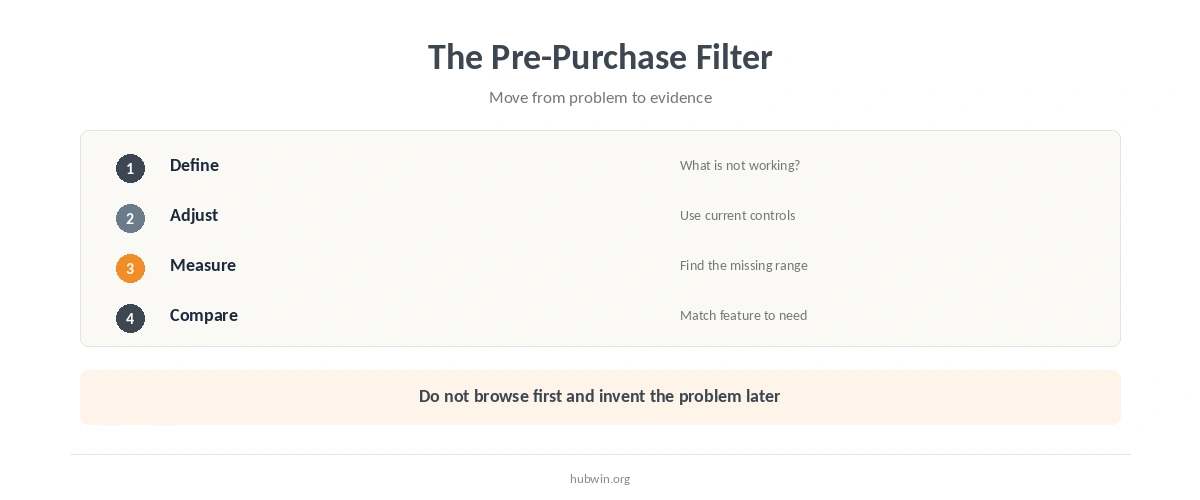
You can avoid buying unnecessary office gear with a five-step filter: define the problem, use every relevant adjustment you already have, measure the constraint, compare the required feature with the proposed purchase, and decide what success would look like before ordering. If you cannot name the problem or the feature that solves it, the purchase is probably premature.
The published guides to a budget ergonomic home office and simple habits versus expensive gear cover the cost side. This article is about the decision before price: whether the item belongs in the setup at all.
How to Avoid Buying Unnecessary Office Gear
OSHA’s computer-workstation guidance is useful because it treats equipment as a fitting problem. Its eTool says there is no single correct arrangement that fits everyone, and its purchasing checklist emphasizes adjustability, adequate space, task requirements, and user fit. In other words, an “ergonomic” label is not enough. The item still has to solve your actual workstation constraint.
- Name the exact problem. “My setup feels incomplete” is not specific enough. “The monitor cannot reach the needed position” is testable.
- Adjust what you already have. Use the chair, screen, desk, software, and layout controls that are already available before adding hardware.
- Measure the missing range or space. Write down the dimension, clearance, or placement limit the current setup cannot provide.
- Check the product feature against that need. Ignore unrelated features that do not change the identified constraint.
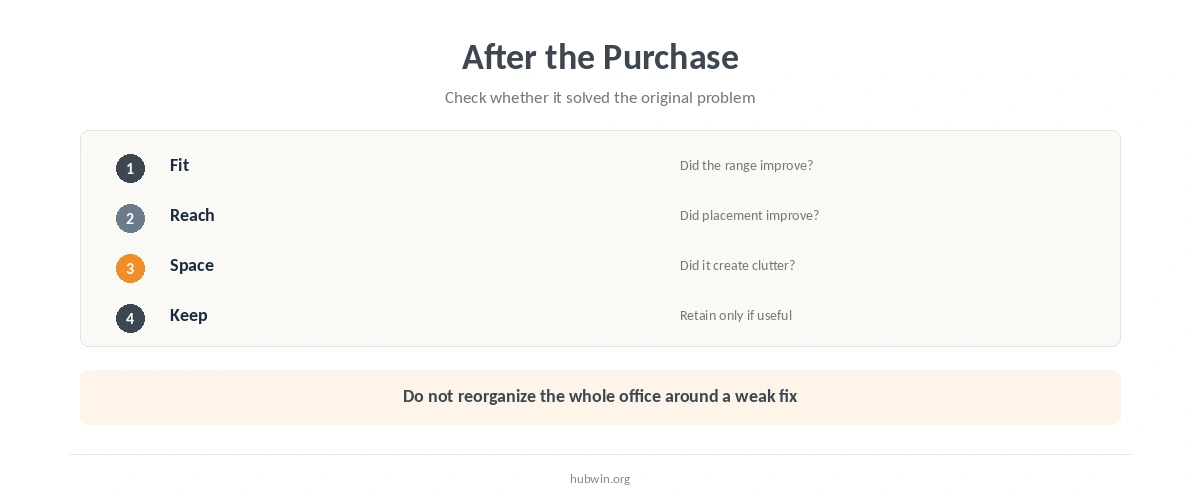
- Decide how you will judge the result. Know what should become easier, clearer, or better fitted after the item arrives.
- Keep the old solution until the new one proves useful. Avoid reorganizing the whole office around an untested assumption.
If the question is specifically about seating, use how to choose an office chair rather than starting from brand lists. For height-adjustable work surfaces, use how to choose a standing desk. Both choices depend on range and fit, not on the feature count in an advertisement.
Adjust Before You Replace
Many office problems are placement problems. A screen may need a different position, frequently used tools may need to move closer, or a chair control may still need adjustment. Adjustment is worth trying first because it gives you information. If the setup still cannot reach the required position, you now know what the purchase must change.
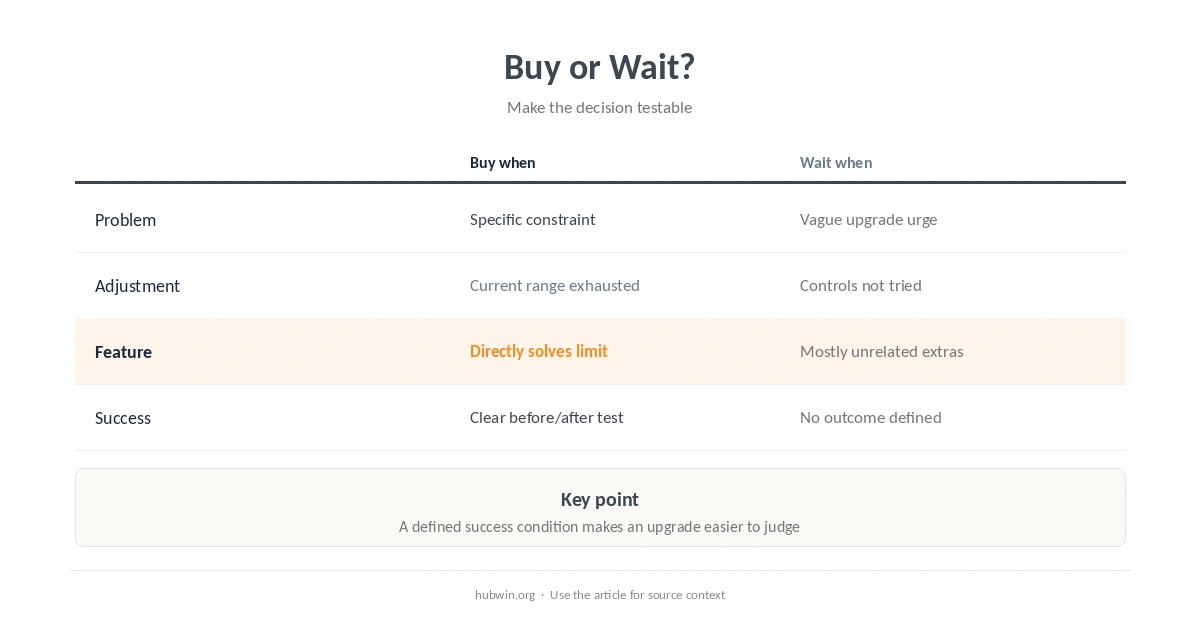
| Question | Good evidence for buying | Reason to wait |
|---|---|---|
| What is wrong now? | One named setup or workflow constraint | Only a vague desire to upgrade |
| What have I adjusted? | You tried relevant existing controls | You have not configured current equipment |
| What feature is missing? | A specific range, clearance, support, or placement option | The product mainly adds unrelated features |
| How will I judge it? | A visible before-and-after criterion | No clear success condition |
| Does it fit the room? | You confirmed dimensions and placement | The item creates a new space problem |
Before buying a stand for a laptop, compare the need with whether laptop stands are necessary. Then check how to use a laptop stand correctly. If the real constraint is input position, an external keyboard and mouse may be more relevant.
Watch for Purchases That Create a Second Problem
A useful office upgrade should fit the rest of the system. Larger accessories can steal work-surface space. Fixed risers can move the screen but leave the keyboard in the wrong place. Extra storage can preserve objects you should remove. Evaluate the chain, not the item in isolation.
The guide to essential home-office setup separates core work needs from optional additions. Meanwhile, keeping only what you use on the desk can remove clutter. In a tight room, building a functional desk in limited space may solve the problem through layout instead.
Know When a Purchase Is Reasonable
Buying makes sense when the current setup has a clear limit and the new item provides a feature that the present setup cannot provide. Examples include a missing adjustment range, insufficient clearance, an input device you cannot place where you need it, or storage that supports a recurring workflow rather than random accumulation.
If your work changes often, a flexible home-office setup may be a better target than a highly specialized arrangement. Also revisit how to notice when your setup stopped working before assuming that every new work pattern requires new equipment.
For chairs in particular, price and suitability are separate questions. The article on whether expensive office chairs matter explains why cost alone does not establish fit. Start from the user and task, then evaluate the product.
How We Research
HubWin does not test or rank office products. We use official workstation guidance to identify fit and adjustability questions you can check before a purchase. We reviewed the OSHA Computer Workstations eTool and its purchasing checklist on October 9, 2026. Read the OSHA Computer Workstations eTool and the OSHA purchasing guide checklist. See How HubWin researches articles for our source model.
Avoid Buying Unnecessary Office Gear: Common Questions
No. Upgrade when you can name a real constraint and the new item has a feature that addresses it.
Treat “ergonomic” as a prompt to check dimensions and adjustability, not as proof that the item fits you.
Measure the specific range or space related to the problem, such as available desk area, clearance, or required adjustment range.
Convenience can be a valid goal. Define the repeated task it should simplify so you can judge whether the item earns its space.
Use proportional effort. The key is not endless research; it is knowing what problem the item should solve.
To avoid buying unnecessary office gear, make the purchase answer a question you defined before shopping. Avoid buying unnecessary office gear just because a new category or feature looks interesting. Adjust first, measure the remaining limit, match one feature to that limit, and judge the result afterward. Fewer well-matched tools are usually easier to manage than a desk full of speculative fixes.