
Privacy in an open home office comes from several small controls rather than one perfect divider. Manage sightlines, reduce unwanted sound paths, protect what appears on screen, and make your work status understandable to other people in the home.
An open room has different limits from a dedicated office. The goal is useful privacy, not total isolation. Start with the same boundary logic used for working from a shared room and working with roommates, then add the controls that match your actual privacy problem.
Build Privacy in an Open Home Office in Layers
Separate the problem into visual, acoustic, digital, and schedule privacy. A divider can block a direct line of sight but may do little for speech. Headphones can improve concentration but do not stop your microphone from picking up nearby voices. A household signal can protect focus time but cannot hide a confidential screen.
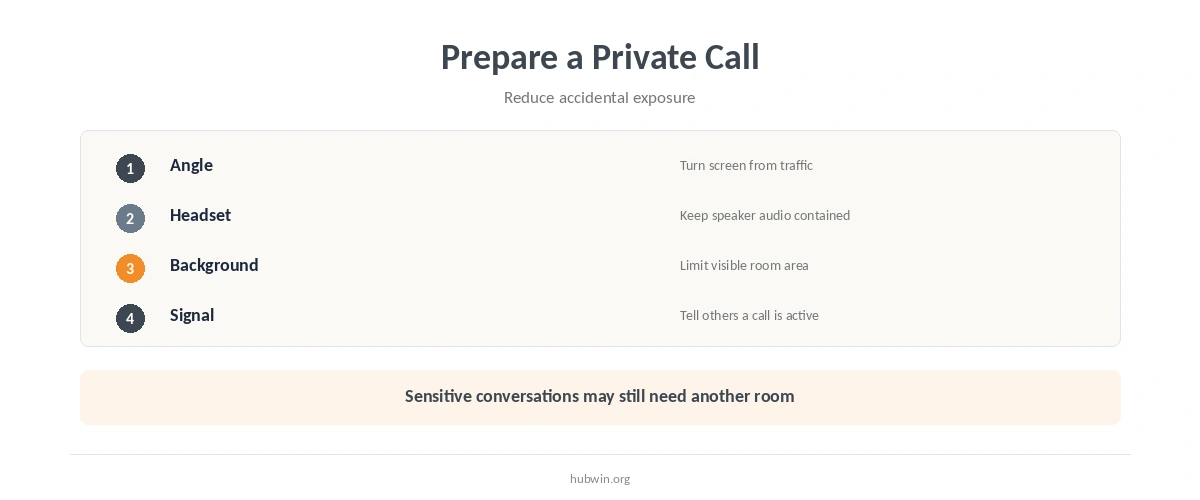
Because the layers solve different problems, combine only what you need. For example, a screen turned away from traffic plus a headset may solve everyday calls. A more sensitive conversation may require moving to another room instead.

Create Visual Privacy in an Open Home Office First
Start privacy in an open home office with sightlines. Sit so the screen does not directly face the main walkway, sofa, or kitchen route. A shelf, folding screen, plant grouping, or the back of a sofa can define the work area without enclosing the whole room. Keep the barrier low enough that it does not create a dark, cramped workstation.
The workspace zoning guide explains how furniture edges can define a work area. If visual clutter itself makes the room feel busy, a calmer office environment may help without adding more objects.
Manage Speech Privacy and Distraction Separately
Speech privacy and noise reduction are related but not identical. CCOHS recommends asking whether conversations interfere with concentration and whether a workspace provides the acoustic privacy required for the task. Therefore, first decide whether you need to hear less, be heard less, or both.
For general household noise, use home-office noise reduction and focus strategies for a noisy home. If the issue is interruption rather than volume, managing distractions gives a different set of tools. Treat sound and interruption as separate problems.
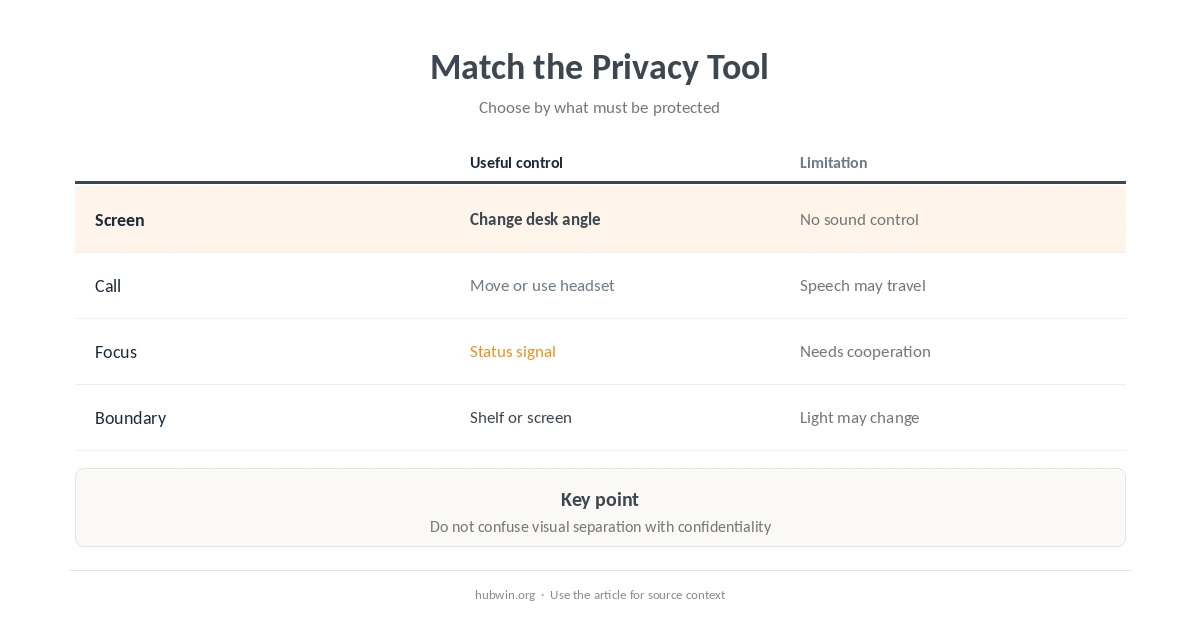
| Privacy need | Useful control | Limitation |
|---|---|---|
| Screen privacy | Change desk angle | Does not reduce sound |
| Call privacy | Move room or use headset | Nearby speech may remain audible |
| Focus privacy | Status signal or schedule | Needs household cooperation |
| Visual boundary | Shelf or screen | May not block speech |
Use a Clear Household Signal for Focus Time
Privacy in an open home office also depends on expectations. Agree on a simple signal that means “interrupt only if needed,” such as headphones, a small sign, or a calendar block. Then define what still counts as urgent. The signal works best when everyone understands it before the next call or focus session begins.
This complements family work boundaries and protecting deep-work time. Meanwhile, work-life separation matters after the focus block ends, so the privacy system does not turn into all-day isolation. Make the signal temporary and specific.
Protect Privacy During Video Calls
For calls, protect both the physical background and the screen. Frame the camera so it shows the smallest useful part of the room. Use a headset when speaker audio would disturb others. If the conversation itself is sensitive, a virtual background does not solve speech privacy; move to a more private location when possible.
The professional video-call guide covers framing and presentation. For a broader workstation arrangement, the video-call office guide covers camera, light, and desk placement. Keep privacy as a separate requirement from looking polished on camera.
Keep Your Screen Out of Traffic Paths
Screen angle matters even when nobody intends to look. Place confidential documents or messaging windows where normal household traffic does not pass behind you or beside the display. Lock the computer when you leave it. If other people regularly use the same room, close sensitive windows before stepping away.
A distraction-free workspace can also reduce the amount of open apps and visual alerts. During call-heavy days, switching between focus and calls can keep private communication from remaining on screen longer than necessary.
Know When the Open Room Is the Wrong Place
Privacy in an open home office has a practical limit. If a conversation includes confidential work, personal financial details, medical information, or another person’s private data, choose a more private room when you can. Furniture and noise control can improve everyday privacy, but they cannot guarantee confidentiality.
Likewise, do not keep adding barriers until the workstation becomes uncomfortable. NIOSH recommends managing light, noise, airflow, and space as parts of a healthy office environment. A privacy fix should not create a new lighting, ventilation, or circulation problem.
How We Research Open Home Office Privacy
HubWin separates privacy into workspace factors that official guidance already recognizes. CCOHS specifically asks about acoustical privacy, visual privacy, speech interference, and storage needs when evaluating office space. NIOSH includes noise, airflow, light, and space among the factors that shape an office environment.
Sources reviewed October 9, 2026: CCOHS office space requirements, NIOSH office environments, and OSHA office safety and health guidance. Read how HubWin researches articles.
Change the desk sightline, add a light visual divider, use a headset, and agree on a household focus signal. Combine controls based on the actual privacy problem.
They can improve visual separation, but many lightweight dividers do little for speech privacy. Move sensitive calls to a more private room when possible.
For screen privacy, avoid placing the display where normal household traffic has a direct view. Keep the desk comfortable and avoid creating glare at the same time.
Headphones can reduce what you hear and may prevent speaker sound from disturbing others. They do not stop people nearby from hearing your voice.