
A simple filing system at home needs fewer decisions, not more folders. Start with a small set of categories that match what you actually retrieve, create one inbox for new material, use consistent names, and decide when an item leaves the active system for an archive.
The filing system should support the work you already do. Therefore, build it after you clear obvious clutter with the home-office decluttering guide, not as a way to preserve every paper or download that happens to exist.
Build a Simple Filing System at Home Around Retrieval
First, ask how you will look for the item later. A broad category such as Clients, Taxes, Home, or Projects can be more useful than a deep hierarchy of tiny folders. The best label is the one you can predict when you need the file again.
The U.S. National Archives uses the same basic records-management idea at a larger scale: a file plan provides a reference structure, and meaningful, consistent folder names help people identify records. A home system does not need federal complexity, but the retrieval principle still applies.

Use One Inbox Before You Add More Categories
A simple filing system at home works better with one temporary landing place for unfiled material. For paper, that can be a tray or folder. For digital files, it can be one inbox folder. The inbox prevents new items from scattering across the desk or downloads directory.
However, an inbox only works if it empties. Pair it with a short review habit from keeping a home office tidy or the quick desk reset. Process the inbox into an action, a reference category, an archive, or disposal. If a checklist helps, adapt the minimal home-office checklist to include filing.
Keep Category Names Descriptive and Consistent
A simple filing system at home also needs names that tell you what belongs inside without opening the folder. If dates matter, use the same date pattern each time. If a project name matters, keep it in the same position. Consistency makes scanning faster and reduces duplicate folders.
NARA guidance for electronic records recommends descriptive, consistent, meaningful file names and folder names that are easy to interpret. You do not need to copy its technical naming rules, but the core idea transfers well to a personal system.
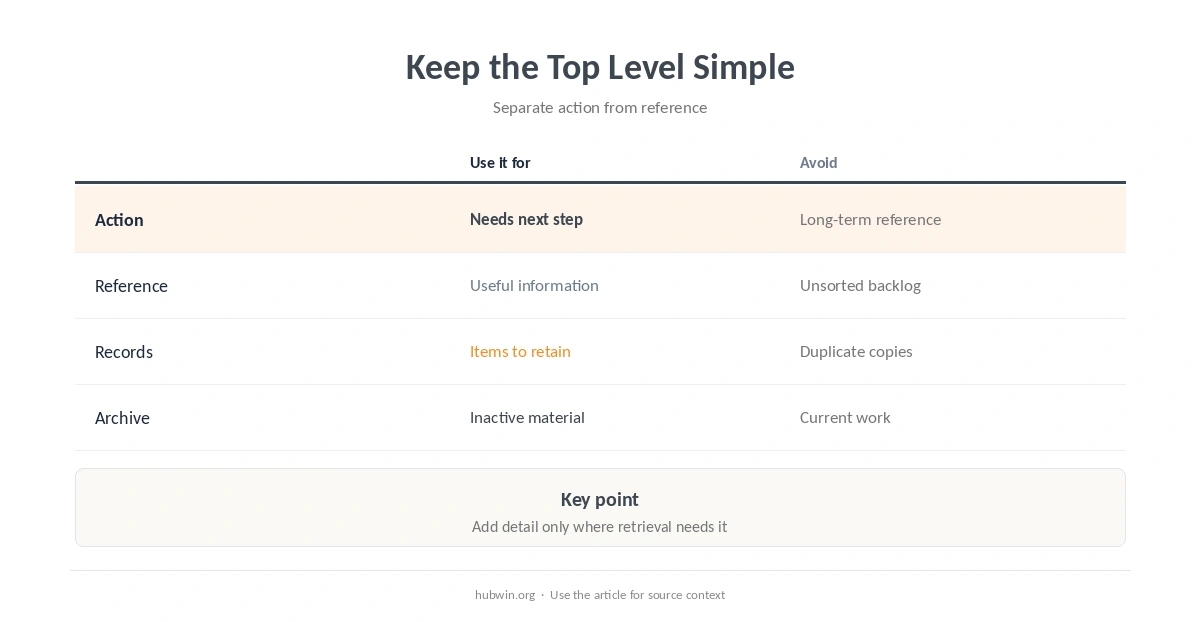
| Bucket | Use it for | Avoid |
|---|---|---|
| Action | Needs a next step | Long-term reference |
| Reference | Useful information | Unsorted backlog |
| Records | Items you need to retain | Every duplicate copy |
| Archive | Inactive material worth keeping | Current work |
Mirror Paper and Digital Logic When It Helps
Paper and digital files do not need identical folders, but similar top-level logic can reduce mental switching. For example, an active project can have one physical folder and one digital folder with the same project name.
Keep the visible desk separate from long-term storage. The small-desk organization guide, keep-only-what-you-use rule, and easy-to-maintain office guide all support that separation.
Create a Clear Archive Rule
A filing system becomes crowded when active and inactive material live together forever. Choose a trigger for moving completed material out of the active folders. You can reserve that review in the daily work schedule when filing tends to pile up. The trigger might be project completion, the end of a calendar period, or a scheduled review.
Do not invent retention periods for legal, tax, medical, or regulated records. Those requirements depend on the document and jurisdiction. Instead, use the filing system to make the retention decision visible, then follow the relevant official rule for the record itself.
Review the Simple Filing System at Home Before Adding Complexity
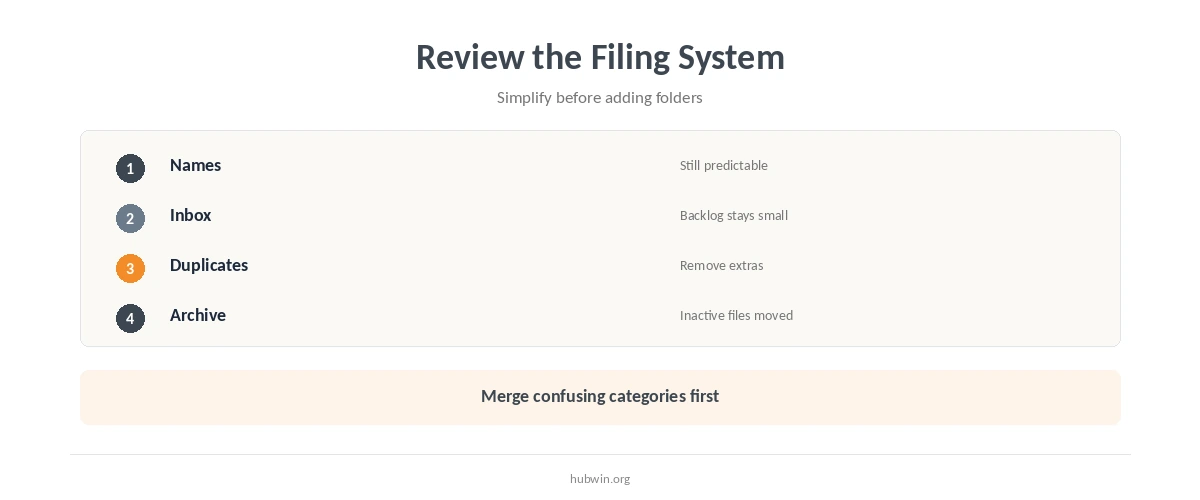
A simple filing system at home should make common retrieval easier after a few weeks. If you keep hesitating between categories, merge them. If one category becomes impossible to scan, split only that category instead of rebuilding the whole tree.
Likewise, remove duplicate containers and supplies that do not support the system. The same approach appears in the minimal home office setup and common home-office mistakes: solve the workflow before buying more storage.
Also compare simple habits versus expensive gear. A broader work-from-home productivity checklist can keep the filing review connected to the rest of the work system.
How We Research Home Filing Systems
HubWin does not provide legal record-retention advice. We use National Archives records-management guidance for file-plan and naming principles, then scale those ideas down to a lightweight home-office workflow.
Sources reviewed October 9, 2026: U.S. National Archives File Plan Template, NARA file and folder naming guidance, and NARA guidance on implementing file plans. Read how HubWin researches articles.
There is no universal fixed count. Use the smallest set that lets you predict where an item belongs and find it again without hesitation.
Not necessarily. Matching the main project or category names can help, but each medium can use the detail level that makes retrieval easiest.
Use one temporary inbox, then process it on a recurring schedule instead of creating several piles or download locations.
Use a consistent trigger such as project completion or a scheduled review. For regulated records, follow the applicable official retention requirement rather than a generic home-office rule.