
This article is general information, not medical advice. If pain is severe, lasting or getting worse, talk to a doctor. Read our health disclaimer.
In practice, the best stretches for desk workers are not a scientifically ranked top-five list. Here, “best” means simple workplace stretches that Mayo Clinic demonstrates directly and that can be done without special equipment. Mayo Clinic’s 2026 desk-stretch collection says long desk periods can stress the neck, shoulders and upper back. Its individual videos give the movement and hold instructions used below.
Best Stretches for Desk Workers: Start With Gentle Workplace Moves
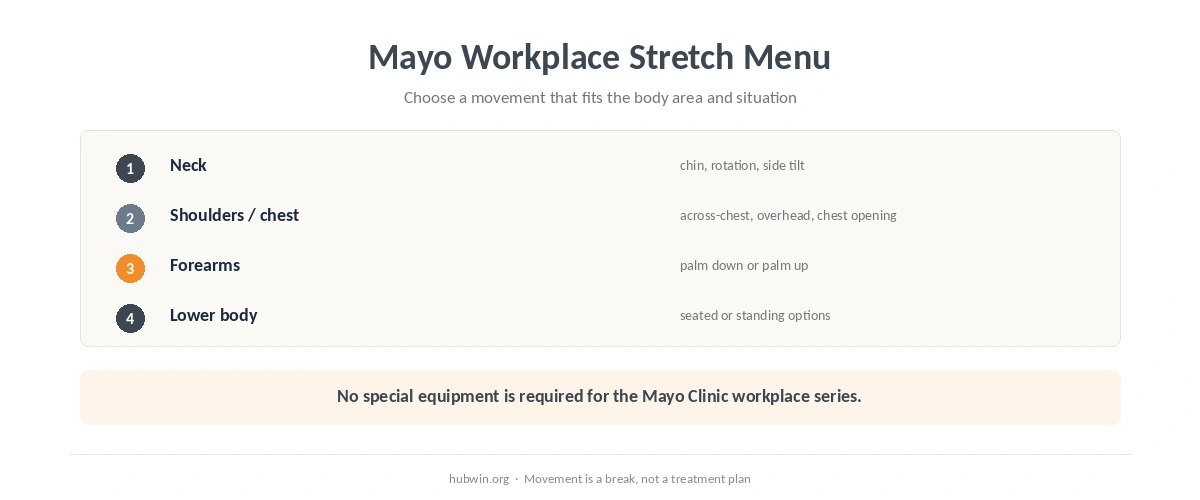
For the neck, Mayo Clinic 2024 demonstrates three gentle options. Lower the chin toward the chest, rotate the head to each side, or tilt the ear toward the shoulder without lifting the shoulder. Then hold each position for 15 to 30 seconds. The forward-head guide treats these as movement breaks. It does not use them to force one ideal neck alignment.
For the upper body, Mayo Clinic 2024 demonstrates three movements. Bring one arm across the chest, bend an arm behind the head, or squeeze the shoulder blades together to open the chest. Hold each position for 15 to 30 seconds. The shoulder-pain guide covers when persistent symptoms need more than a stretch.
Best Stretches for Desk Workers: Add Forearm and Seated Options
The best stretches for desk workers can also include forearm movement after long typing or mouse sessions. Mayo Clinic 2024 shows one arm in front with the palm down. Bend the hand downward and draw it gently toward the body with the other hand. Then repeat the pattern with the palm up. Hold each position for 15 to 30 seconds. Its wrist-circle movement has no prescribed hold time. The wrist-pain guide separates setup changes from symptoms that need medical assessment.
For seated lower-body movement, Mayo Clinic 2024 demonstrates two options. Bring one knee toward the chest while holding the back of the thigh. Or place one heel on the floor and hinge forward at the hip while keeping the back straight. Hold each seated position for 30 seconds. Mayo specifically recommends a chair without wheels for these stretches. The sitting-stiffness guide explains why changing position during the day matters more than collecting more stretches.
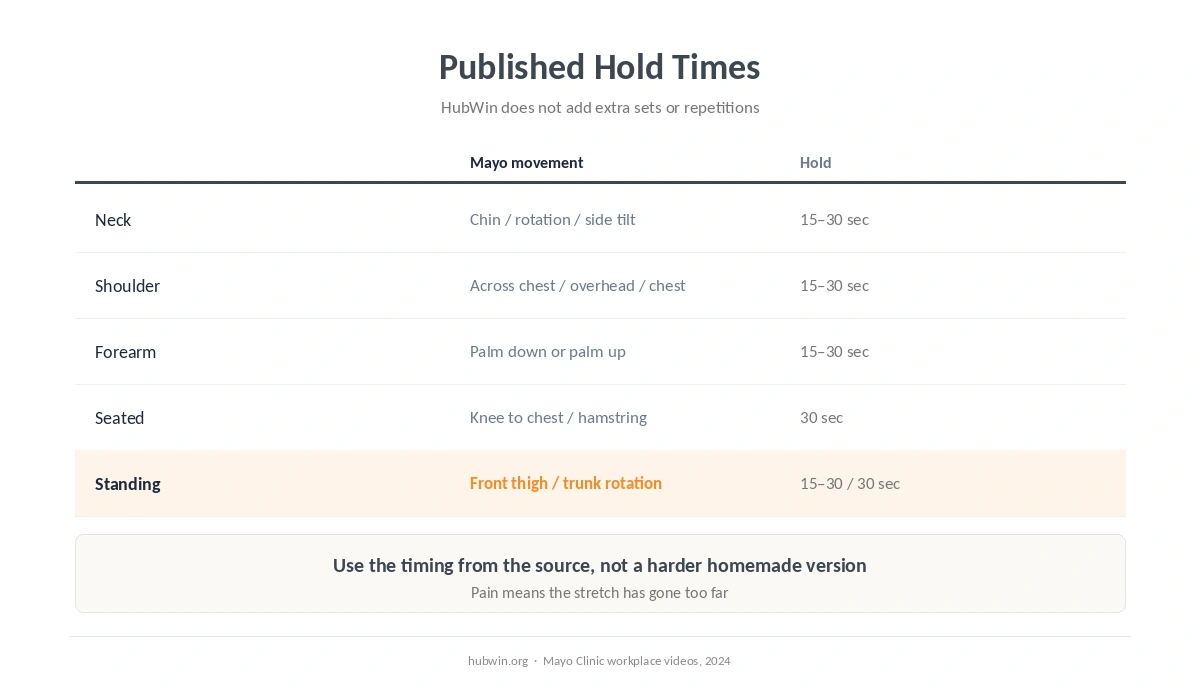
| Area | Mayo Clinic movement | Source timing |
|---|---|---|
| Neck | Chin toward chest; head rotation; ear toward shoulder | 15–30 seconds |
| Shoulder/chest | Across-chest arm; overhead arm; shoulder blades together | 15–30 seconds |
| Forearm | Palm down or up, hand gently drawn toward you | 15–30 seconds |
| Seated lower body | Knee toward chest; heel down with hip hinge | 30 seconds |
| Standing | Front-thigh stretch; trunk rotation | 15–30 seconds; trunk rotation 30 seconds |
Use the Stretching Rules, Not Just the Stretch List
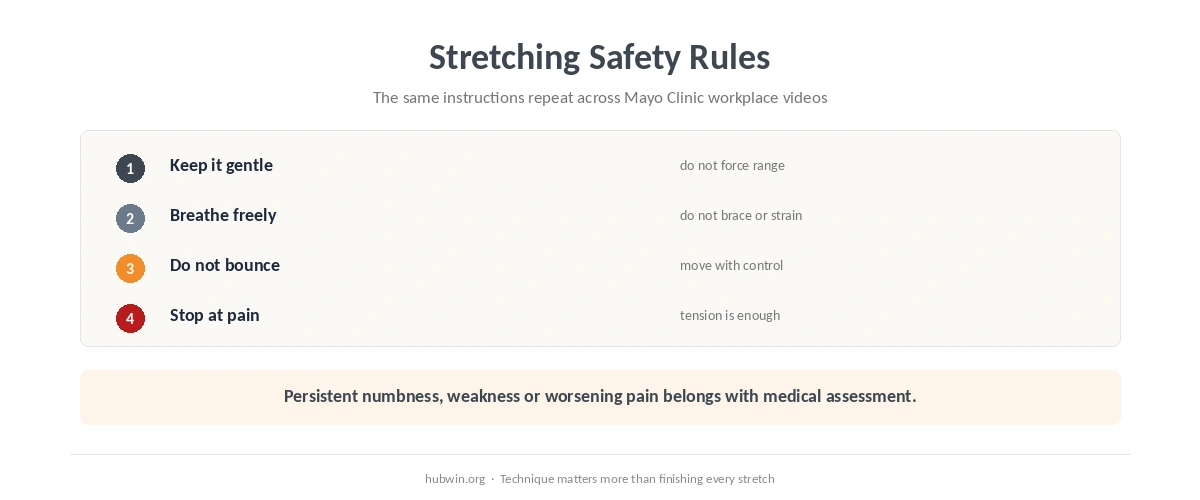
Mayo Clinic’s 2024 workplace videos repeat the same safety rules. Keep each stretch gentle, breathe freely and do not bounce. Expect tension rather than pain. If a movement hurts, you have gone too far. That rule matters more than trying to complete every item in a list. The desk-exercise guide follows the same source-based approach. Meanwhile, the microbreak guide shows how movement can fit into the workday without a rigid countdown.
Therefore, the practical meaning of best stretches for desk workers is “simple, gentle and appropriate for you,” not “more is better.” Stretching also cannot correct a low monitor or a mouse that requires constant reaching. Review the home-office health checklist and sitting-posture guide if discomfort repeatedly returns during the same task.
When to See a Doctor
Do not stretch through pain, numbness, tingling or weakness. Mayo Clinic neck-pain guidance from 2024 lists several urgent patterns. These include severe pain after injury, arm or leg weakness, trouble walking, or severe neck pain with high fever. It also advises medical assessment when neck pain persists for several weeks or worsens despite self-care. The same applies when pain radiates into a limb or comes with headache, weakness, numbness or tingling. NHS back-pain guidance checked in 2026 adds urgent red flags. Examples include rapidly worsening severe pain, feeling systemically unwell, bilateral leg symptoms, saddle numbness and bladder or bowel changes.
How We Research
HubWin read Mayo Clinic’s Desk stretches collection, updated April 23, 2026. We also read its 2024 videos for neck, upper body, forearms, seated stretches and standing stretches. We also checked Mayo Clinic neck-pain guidance from 2024 and NHS back-pain guidance in 2026 for warning signs. Learn how HubWin researches articles.
FAQ
The Mayo workplace videos demonstrate movements and hold times but do not prescribe one universal number of daily sessions. Use stretching as one way to break up long static work.
No. Mayo Clinic says stretching should feel like tension, not pain. If it hurts, you have gone too far.
No. Choose movements that fit the body area and situation, and skip movements that are painful or medically inappropriate for you.
No. A stretch does not fix an obvious screen, reach or support mismatch.
No. HubWin presents them as general workplace movement. Persistent, worsening or neurological symptoms need medical assessment.
The Bottom Line
The best stretches for desk workers are the ones you can perform gently and safely using source-backed technique. Mayo Clinic’s workplace series gives clear neck, upper-body, forearm, seated and standing options. Use the published hold times, do not bounce, and stop if a movement causes pain. The simple ergonomic changes guide and daily posture checklist cover the workstation side of the same comfort problem.