
This article is general information, not medical advice. If pain is severe, lasting or getting worse, talk to a doctor. Read our health disclaimer.
To avoid pushing through pain, treat discomfort as information rather than a test of discipline. Pause the task, change the exposure that seems to aggravate it, and reassess. Continuing the same movement or static posture for hours can reduce recovery time for muscles and tendons, which OSHA identifies as an ergonomic concern.
This does not mean every ache is an injury. It means you should not assume pain must be ignored until the work is finished. HubWin’s desk-pain warning guide and daily body check-in can help you notice a pattern before it becomes the background noise of the day.
Avoid Pushing Through Pain by Changing the Exposure First
One way to avoid pushing through pain is to change what your body is doing before symptoms escalate. You do not need to diagnose the sensation first. Stop the repeated input, release a fixed posture, or switch to a task that uses a different position. OSHA recommends variation, adjustable workstations and short recovery pauses. Those changes give muscles and tendons time away from uninterrupted repetition and static loading.
Use microbreaks as one tool, not as permission to return to the same aggravating setup indefinitely. If a mouse reach or keyboard angle seems connected to symptoms, review keyboard and mouse position. If the chair seems involved, review chair adjustment before the next long block.

How to Avoid Pushing Through Pain Without Overreacting to Every Ache
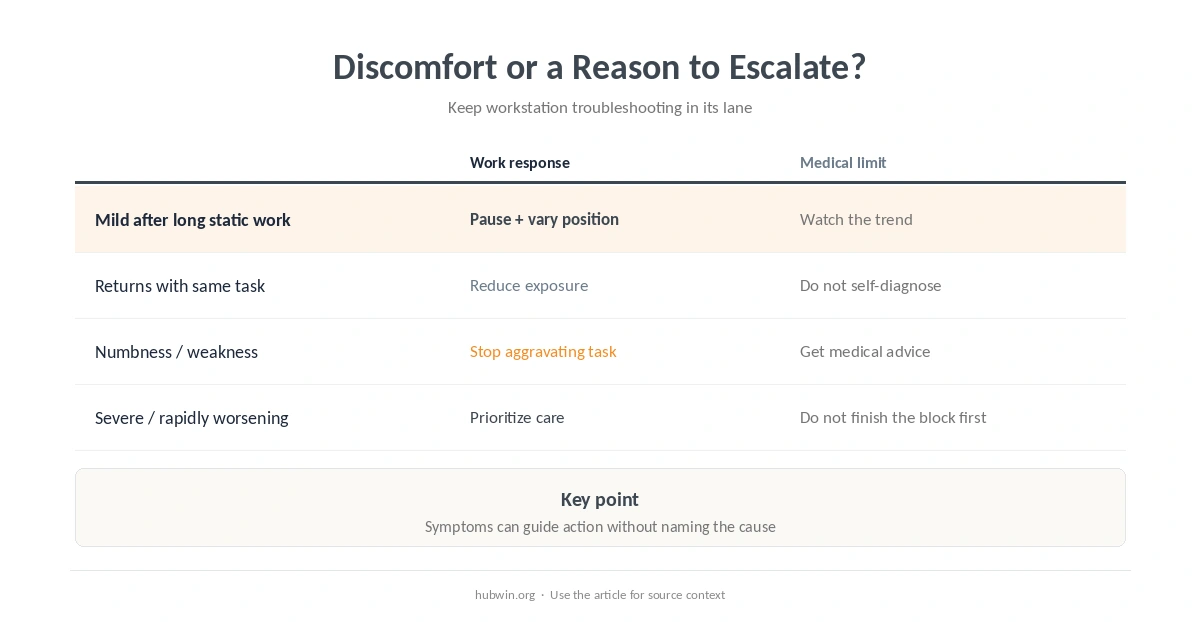
You can avoid pushing through pain without treating every mild ache as an emergency. A sensible response is proportional. Short-lived discomfort after an unusually long task is different from pain that keeps returning or wakes you at night. Weakness, numbness or swelling also changes the situation. Track what you were doing, how long it lasted, and what changed when you stopped.
For setup-related troubleshooting, change one variable at a time. Start with simple ergonomic changes or use the setup review guide. These help you test exposure changes without claiming a diagnosis.
If the symptom is mainly in your back or neck, review back-pain guidance or neck-pain guidance. Each page focuses on safer work exposures and thresholds for getting help rather than naming the medical cause.
| What you notice | Low-risk work response | Do not assume |
|---|---|---|
| Mild ache after a long static block | Pause, move, change task or posture | That one posture is the medical cause |
| Pain returns with the same reach or input | Reduce that exposure and adjust the workstation | That buying new gear will treat it |
| Numbness, weakness or loss of function | Stop the aggravating task and seek medical advice | That it is ordinary fatigue |
| Severe or rapidly worsening symptoms | Prioritize medical assessment | That finishing the work block comes first |
Build a Workday That Does Not Reward Ignoring Pain
A schedule that helps you avoid pushing through pain needs decision points before a task is complete. Otherwise, discomfort can become a signal you repeatedly override. The home-office health checklist can support a broader review. A quick desk reset can also make it easier to change position or clear a blocked work surface.
Do not chase a single “perfect” posture. Supported sitting can reduce awkward loading, but prolonged stillness remains prolonged stillness. Likewise, a posture checklist should prompt adjustment and movement, not turn the workday into constant body monitoring.
Pain Location Can Change the Troubleshooting Question
A shoulder symptom may point you toward reach, arm support or workload questions; see shoulder-pain guidance. Wrist or hand symptoms deserve a different review; use the wrist and mouse/keyboard guide. These pages discuss exposures and safer setup choices, not a way to identify the underlying medical condition.
If changing the setup reduces the irritation, that is useful information. It still does not prove the setup was the only cause. Pain can come from many conditions, and a workstation change should not delay medical evaluation when symptoms are persistent, unexplained or progressively worse.
When to See a Doctor
Mayo Clinic advises prompt medical care for muscle pain with breathing trouble, dizziness, extreme weakness, high fever with a stiff neck, or a severe injury that prevents movement. NHS guidance also recommends medical review when joint pain is very painful, keeps getting worse, repeatedly returns, or interferes with normal activities or sleep.
Arrange medical assessment when pain persists despite reasonable self-care, keeps returning, or is limiting normal function. Seek urgent care for severe sudden symptoms, major injury, new weakness or loss of sensation, or pain accompanied by breathing difficulty or other emergency signs. Do not use a desk adjustment as a substitute for urgent evaluation.

How We Research Advice to Avoid Pushing Through Pain
HubWin separates ergonomic exposure from medical diagnosis. OSHA informs the workstation and recovery guidance; Mayo Clinic and NHS sources inform warning signs and thresholds for getting professional help. We do not treat pain tolerance as evidence that continuing the same task is safe.
Sources reviewed October 9, 2026: OSHA computer-workstation work-process guidance, Mayo Clinic muscle-pain guidance, and NHS joint-pain guidance. Read how HubWin researches articles.
Stop or change the aggravating activity long enough to reassess. The appropriate next step depends on severity, persistence and other symptoms; severe or worsening pain needs medical attention.
A better setup can reduce awkward or repetitive exposure, but it cannot diagnose or treat every cause of pain.
No. Mild temporary soreness can have many explanations. The important questions are whether it improves, returns, worsens or comes with other symptoms.
Note the task, posture or device you were using, how long the exposure lasted, where the symptom appeared and whether it changed after you stopped.
Get help when pain is severe, persistent, worsening, repeatedly returns, limits normal activities, or comes with concerning signs such as weakness, numbness, swelling or breathing difficulty.