
Webcam Glare on Glasses During Video Calls: what to check first
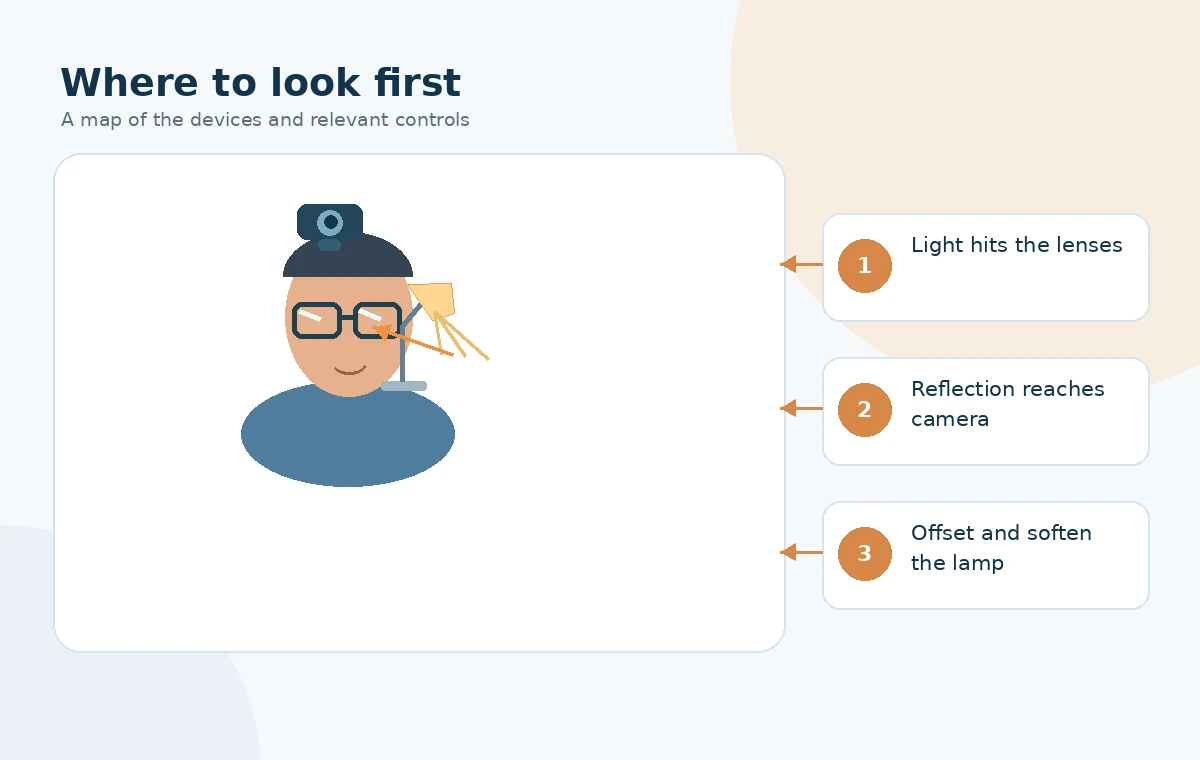
Webcam glare on glasses often appears as a white patch, a ring-shaped reflection, or a bright stripe that covers the eyes. The immediate cause is usually a light source reflected by the curved lens toward the camera, not a defective webcam. Start with a preview in the same meeting app and the same chair position you normally use.
Hold the room and camera still. Turn off one nearby lamp or lower its brightness, then note whether the bright patch disappears. If it does, that lamp is a useful first variable. If it remains, look for a bright monitor, window, or second light source that may also be reflected.
The goal is not to make the room dim. A camera still needs sufficient, reasonably even light on the face. Change the direction, size, and position of the light while keeping the face visible. There is no universal angle that works for every pair of lenses.
| What the preview shows | What to test first |
|---|---|
| A round bright ring in each lens | Move a ring light away from the camera axis |
| A horizontal pale stripe | Dim or move a bright monitor or light bar |
| One lens has a bright patch | Move the lamp on that side |
| Face is dark after moving light | Add diffuse light from a different direction |
Change the light path without losing face detail
A ring light mounted directly around the camera can create a recognizable circular highlight in lenses. Try placing the main light a little to the side of the camera instead. Keep it directed toward the face, not into the webcam, and watch where the lens reflection moves as you reposition it.
A larger, diffused source often gives a less harsh reflection than a small bare LED. Use a diffuser designed for the light or bounce a suitable lamp from a nearby wall. Do not cover a hot lamp with paper or cloth, and keep manufacturer ventilation clear. Adjust window blinds if the reflection comes from daylight.
Keep the camera near a comfortable eye-level position and adjust it only after light placement. Tilting the camera or your glasses may change the reflection, but it can also distort eye contact or make frames uncomfortable. Move the source first, then make small framing adjustments if needed.

| Setup choice | Practical trade-off |
|---|---|
| Light centered behind webcam | Even face lighting, but more lens reflections for some glasses |
| Soft lamp offset to one side | Often moves reflection away; check shadow on opposite cheek |
| Window in front, off camera axis | Useful natural light; brightness changes with time and weather |
| Dark room with bright monitor | Easy screen reflection; camera may raise exposure noise |
Separate glasses reflections from exposure problems
After moving the light, inspect the actual recorded or call-app image. If both your face and background are washed out, the issue may be excessive exposure rather than a localized reflection. Some webcams provide exposure and white-balance controls in their manufacturer app; many meeting apps offer fewer options.
If the lens glare disappears but the face becomes grainy, restore some soft front or side illumination instead of simply increasing digital brightness. A very bright window behind your head can turn the face into a silhouette and cause the camera to meter for the background.
Test with normal glasses and the seat height you will use during the meeting. Avoid buying an anti-reflective coating or a new webcam as the first fix; different lenses and lighting arrangements behave differently, and a low-cost placement test identifies whether the source is controllable.

| Result after change | Next decision |
|---|---|
| Eyes are clear and face evenly lit | Keep the lamp location and note it for future calls |
| Glare moves from one lens to the other | Adjust the lamp distance and side angle |
| Glare remains with lamp off | Check window, screen and other reflective sources |
| Preview looks fine; meeting looks different | Check meeting-app effects and device selection |
Make the better setup repeatable
Choose one normal meeting view, such as a seated head-and-shoulders frame, and save a photo of the lamp, camera, and chair positions for reference. Test at the time of day when you regularly take calls, because changing daylight can bring glare back even when a lamp stays in place.
If you wear progressive or unusually curved lenses, the reflection may shift noticeably when you glance down at notes. Check the positions you use most, not only a straight-ahead pose. A small offset light is often more useful than chasing a perfect camera angle.
The success test is simple: the other participant can see your eyes without the face turning dark or washed out. Stop once the preview is clear. More brightness and more equipment are not automatically better.
How We Research
We used manufacturer guidance about diffuse, frontal video-call lighting, camera settings, and reflections. The lamp relocation and A/B preview procedure is a practical diagnostic suggestion, not a claimed laboratory test. HubWin explains its editorial process on How We Research.
Sources
BenQ: Lighting for Video Calls — official product or platform guidance relevant to the checks above.
Logitech: Optimize Webcam Settings — official product or platform guidance relevant to the checks above.
Elgato: Look More Professional on Video Calls — official product or platform guidance relevant to the checks above.
Usually start with the light. A lens reflection depends on the relative positions of the source, glasses, and camera, so small light changes may help without changing framing.
A light close to the camera axis can be reflected by curved lenses toward that same camera. Offset or diffuse it and confirm the result in the call preview.
Brighter exposure does not remove a localized reflection and may wash out the face. Control the source and position before adjusting camera gain or exposure.
No. Coatings can change reflections, but bright sources and lens angles can still produce visible highlights. Test lighting before buying replacements.
Neither side is universally correct. Test the side that moves highlights off your eyes while leaving your face adequately illuminated.