
How to use time blocking at home starts with one choice. Decide what kind of work belongs in a period before it begins. Research does not prove that a branded “time-blocking method” is universally superior. Sophie Leroy’s 2009 experiments found that unfinished task switches can leave attention on the previous task. A 2024 meta-analysis of 642 tests found that specific if–then plans can support goal-directed behavior. Read Leroy’s attention-residue study.
How to Use Time Blocking at Home: Start With Types of Work
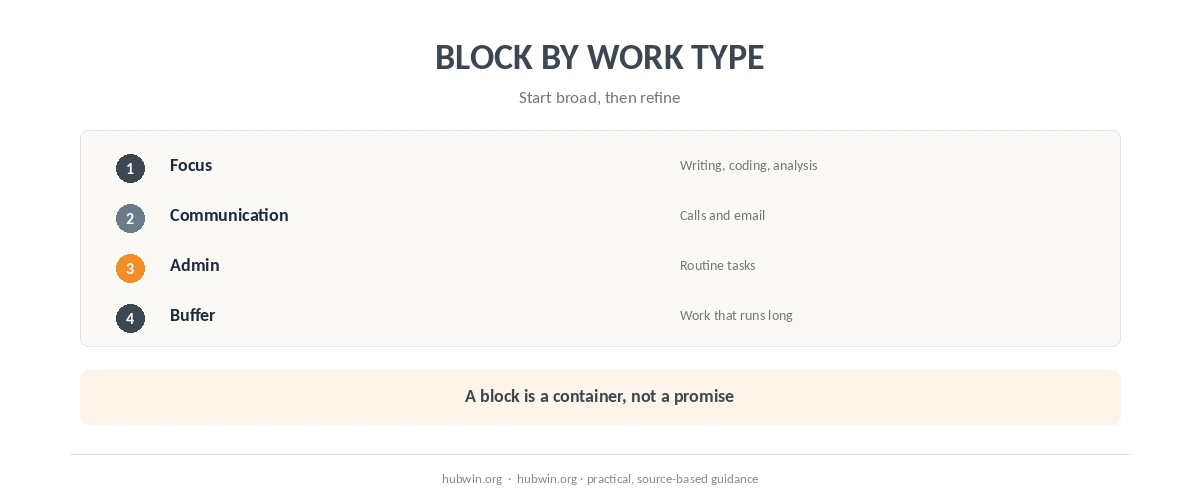
A practical way to use time blocking at home is to group work by demand. Do not schedule every small task. A focus block can hold writing, coding or analysis. A communication block can hold email and calls. An admin block can hold routine tasks. That reduces unnecessary switching without pretending that every task takes exactly the predicted amount of time. The daily schedule guide gives a broader structure for the day. If that is the part of the workflow you want to simplify, see task batching.
Protect the work that suffers most from interruptions. The deep-work guide and focus guide both emphasize reducing avoidable switching. Reserve a calendar window for the work type. Put the task list inside that window instead of making a separate appointment for every item.
How to Use Time Blocking at Home Without Making the Calendar Fragile
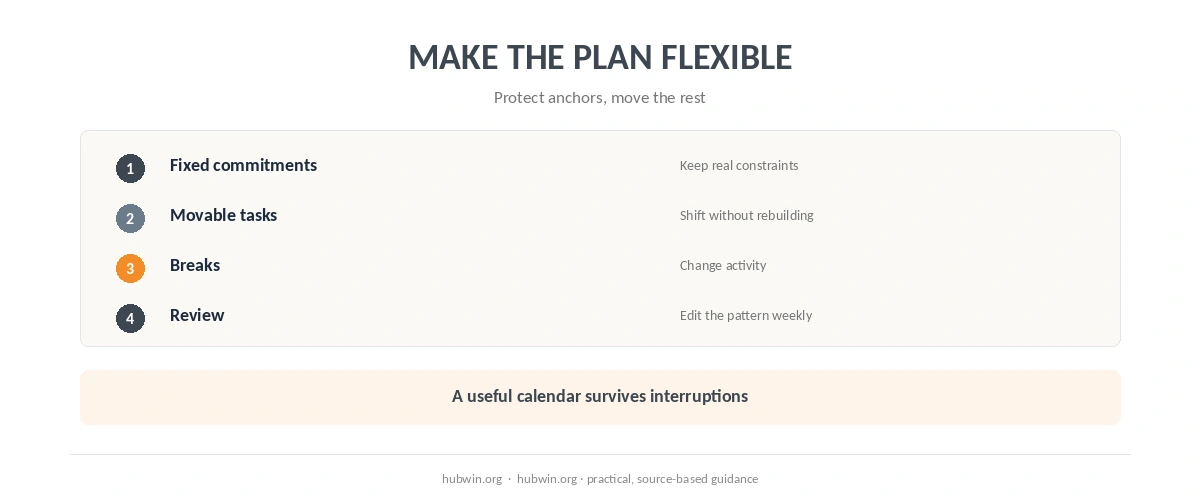
A rigid calendar can fail when a call runs late or a task expands. Leave room for those changes. Leave unassigned space between demanding blocks and keep lower-priority tasks movable. Put the better-breaks guide between demanding blocks. Use the distraction-management guide when interruption is the bigger problem. For the workflow side of this, see task management.
If you are deciding how to use time blocking at home, treat the calendar as a flexible map rather than a minute-by-minute contract.
If a block is repeatedly unrealistic, change the block rather than treating the miss as a discipline problem. Planning works best when it represents the work you actually do. A useful review question is: which kinds of work need protection, and which can move?
Use If–Then Plans for the Moments That Usually Break the Schedule
The planning literature offers a useful tool for predictable obstacles: an implementation intention. Make the cue and response specific. For example: “If my focus block starts, I will close messaging and open the one document I need.” The 2024 meta-analysis found positive effects across cognitive, affective and behavioral outcomes. Effects were stronger for contingent if–then formats. Read the 2024 meta-analysis. A related productivity guide covers minimum viable workday.
That idea also fits the morning-routine guide and work-from-home productivity checklist. Both make the start obvious before motivation becomes the only trigger. If notifications usually break the block, use the distraction-free office guide.

End the Day by Editing Tomorrow, Not Rebuilding the System
At shutdown, move unfinished work deliberately instead of letting it float in the background. The end-of-day routine guide and shutdown checklist show how to capture the next action. That can make the following block easier to start and keeps the calendar from becoming a record of missed intentions.
A good time-blocking system should become simpler with use. Keep the categories that help. Delete the ones that create bookkeeping. Review the pattern once a week instead of constantly rearranging the day.
How We Research
HubWin reviewed Sophie Leroy’s 2009 attention-residue experiments and the 2024 meta-analysis of 642 implementation-intention tests. We also read NIOSH work-from-home guidance on routines, focus time and boundaries. We use those findings to support specific planning behaviors, not to claim that science has proven one branded calendar method superior. Learn how HubWin researches articles.
FAQ
No. Grouping similar tasks is usually easier to maintain than scheduling every small action separately.
There is no universal evidence-based duration. Match the block to the task, your commitments and how often you are interrupted.
Treat repeated misses as planning feedback. Add buffer, reduce the scope or move the block to a more realistic part of the day.
Not automatically. It can make the start clearer, but task difficulty, distractions and motivation still matter.
Yes. Fixed meetings can become anchors, with focus, admin and buffer blocks arranged around them.
The Bottom Line
The practical answer to how to use time blocking at home is to reserve flexible windows for types of work. Protect tasks that suffer from switching, leave buffer and use specific start cues. The calendar should reduce decisions, not create another job.