
This article is general information, not medical advice. If pain is severe, lasting or getting worse, talk to a doctor. Read our health disclaimer.
Jaw tension while working at a computer can show up as clenching, tired jaw muscles, soreness, or a sense that your teeth stay pressed together. Computer work does not prove the cause. Stress, daytime clenching, sleep bruxism, temporomandibular disorders, and other dental or medical issues can overlap.
The safest starting point is awareness rather than diagnosis. Notice whether you clench during concentrated work, then reduce habits that clearly load the jaw. Pair that with a daily body check-in and better breaks if long focus blocks make you miss the pattern.
Jaw Tension While Working at a Computer Is Not One Diagnosis
NIDCR describes temporomandibular disorders as a group of more than 30 conditions involving the jaw joint or chewing muscles. It also notes that jaw sounds without pain are common and may not need treatment. Bruxism is a separate term for grinding, clenching, or gnashing the teeth.
This matters because jaw tension while working at a computer can have different explanations. A desk article cannot tell whether the problem is muscle overuse, bruxism, a TMD, dental pain, or something else. Avoid buying a device or changing your bite based only on a symptom label.
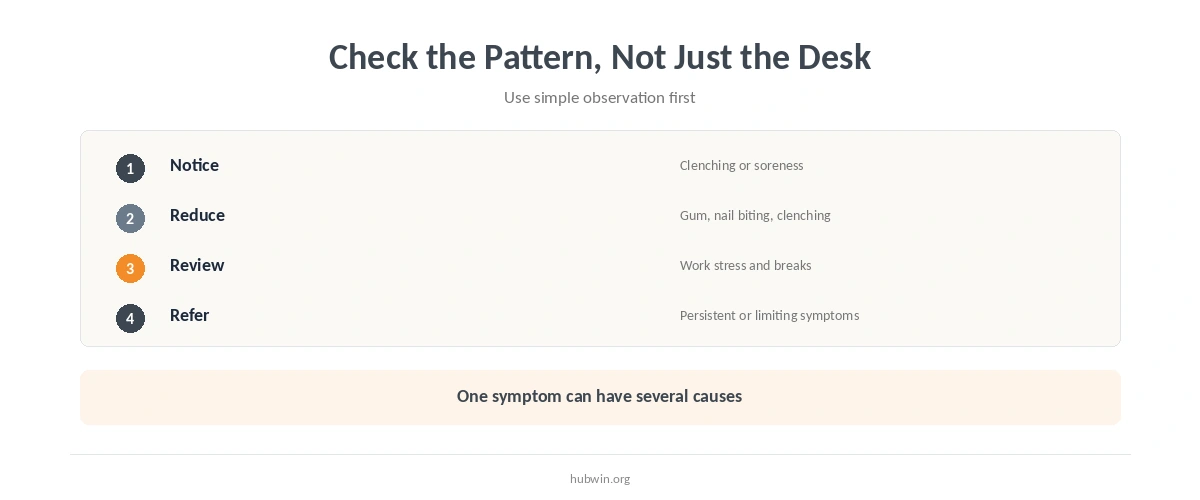
Ease Jaw Tension While Working at a Computer by Noticing Clenching
NIDCR recommends becoming aware of habits such as jaw clenching. Its bruxism guidance also suggests reminders to keep the teeth apart when daytime clenching is a problem. You can use a simple visual cue near the monitor or a quiet timer as an awareness prompt.
For jaw tension while working at a computer, the goal is not to hold the jaw in a forced position. Let the face and jaw feel easy, and avoid repeatedly checking every few seconds. If a reminder makes you more preoccupied with symptoms, remove it and discuss the pattern with a dentist or healthcare professional instead. A calmer work rhythm may also include better focus habits and a simpler productivity routine.
Reduce Habits That Can Aggravate Jaw Tension
NIDCR lists reducing jaw clenching, gum chewing, and nail biting among conservative self-management steps for TMD symptoms. NHS guidance also advises against clenching and notes that the teeth should normally be apart except when eating.
Work stress may coincide with clenching for some people, but that does not mean stress is the only cause. Use burnout prevention, deep-work planning, and microbreaks as work-design tools, not as substitutes for dental or medical assessment.
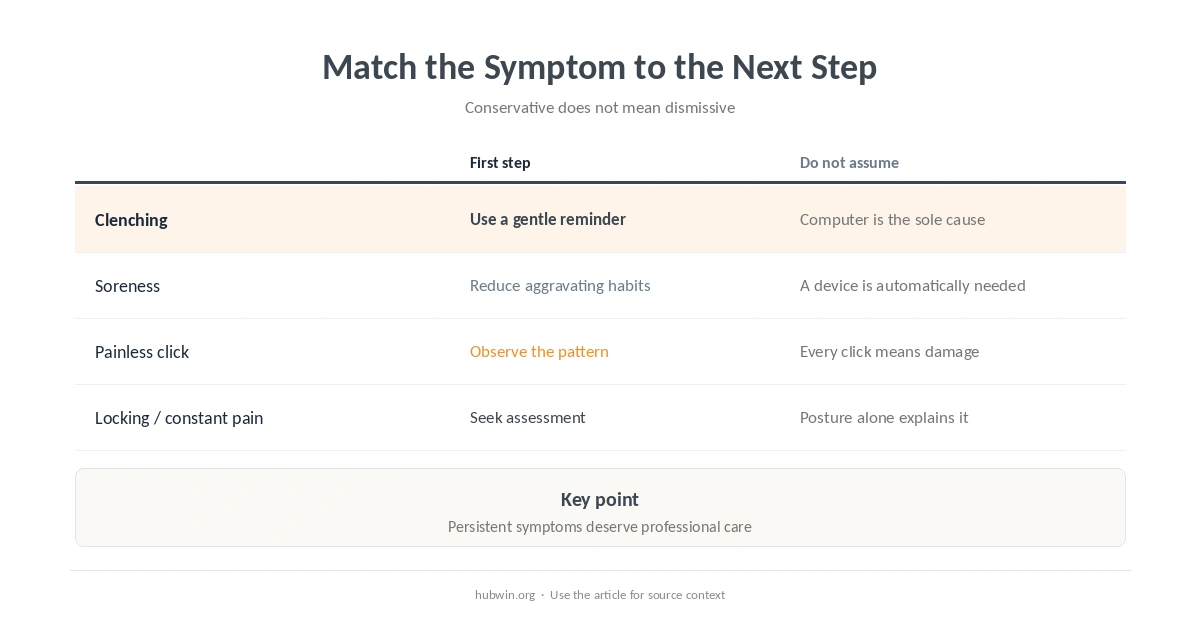
| What you notice | Reasonable first step | Do not assume |
|---|---|---|
| Teeth pressed together during focus | Use a gentle reminder to notice and release clenching | That the computer is the sole cause |
| Jaw soreness after chewing or clenching | Reduce aggravating habits and monitor the pattern | That a mouthguard is automatically the answer |
| Clicking without pain | Observe rather than treating the sound alone | That every click means joint damage |
| Locking or persistent pain | Seek professional assessment | Do not assume posture alone explains it |
Do Not Treat Jaw Tension as a Posture Problem Alone
Neck and shoulder position can change how the whole workday feels, but one posture rule cannot explain jaw symptoms. NIDCR says TMD diagnosis can be difficult because symptoms overlap with other conditions. A clinician may need to examine the jaw, face, neck, or teeth.
You can still make the workstation less demanding. Review comfortable desk posture, neck discomfort during desk work, and upper-back discomfort. Treat those as parallel comfort checks, not as treatment for jaw symptoms.
Be Cautious with Mouthguards, Bite Changes, and Internet Fixes
NIDCR says many TMD treatments still have limited evidence. It recommends conservative care and warns against treatments that permanently change the teeth, bite, or jaw joint when the benefit is uncertain. A clinician may consider an intraoral appliance in some cases, but it is not a universal self-prescribed answer.
If you suspect grinding or clenching, a dentist can look for tooth wear, tenderness, and other signs. That is more useful than choosing an appliance from a symptom checklist alone. This article does not recommend medication doses, supplements, or irreversible dental treatment.
When to See a Doctor or Dentist
Mayo Clinic advises medical attention for constant jaw pain or tenderness, sudden pain with jaw movement, or an inability to open or close the jaw completely. NIDCR also lists jaw stiffness, limited movement or locking, painful clicking, and pain that spreads to the face or neck among symptoms that can occur with TMDs.
If jaw tension while working at a computer persists, worsens, or affects eating, sleep, or normal jaw movement, seek professional care. Use the home-office health checklist and desk-setup pain guide only as prompts to notice patterns, not as diagnostic tools.

How We Research Jaw Tension While Working at a Computer
HubWin does not assume that computer work causes TMD or bruxism. We use dental and medical sources for symptoms, conservative self-management, and referral thresholds. We keep workstation suggestions separate from diagnosis and treatment claims.
Sources reviewed October 9, 2026: NIDCR temporomandibular disorders guidance, NIDCR bruxism guidance, Mayo Clinic TMJ disorders, and NHS temporomandibular disorder guidance. Read how HubWin researches articles.
Computer work can coincide with clenching or discomfort, but jaw symptoms have multiple possible causes. This article does not treat posture as a diagnosis.
NHS guidance says not to clench and notes that, apart from eating, the teeth should be apart.
Not automatically. NIDCR notes limited evidence for some appliances. A dentist can assess whether bruxism or another problem is present.
No. NIDCR says clicking or popping without pain is common and can be normal. Pain, locking, or limited movement deserves more attention.