
A standing desk may feel firm when seated yet sway when extended. Height amplifies small movement at the floor or frame, but not every movement means a broken motor. Start by identifying whether the entire desk rocks, the desktop shifts on its frame, or only a screen on an arm shakes as you type.
This is a stability troubleshooting guide for adjustable office desks, not an assembly manual for a particular frame. If a desk tilts unexpectedly, has damaged joints, makes alarming structural noises or moves unevenly, stop using its lift function and follow the manufacturer’s service instructions.
Locate where the standing desk movement begins
With the desk stationary and clear of people underneath, compare movement at seated and standing height using a light touch at the desktop edge. Watch the leveling feet and the point where the legs join the desktop. Do not shake the desk forcefully, lean on an unsupported edge or test stability while it is moving.
A screen bouncing without the worktop moving points toward the monitor arm or its attachment. A desktop sliding over a steady frame suggests a top-to-frame connection. Both legs moving together relative to the floor suggests a leveling or floor issue. Use these observations to choose the next check rather than tightening every fastener at random.
| What moves | Likely inspection area | Do first |
|---|---|---|
| Entire desk rocks at the floor | Leveling glides or uneven flooring | Inspect all feet |
| Desktop shifts above still legs | Top-to-frame attachment | Check approved fasteners |
| One leg visibly moves differently | Frame connection or lift problem | Stop movement; seek support |
| Only a mounted screen trembles | Monitor arm or clamp | Inspect the separate mount |
Level the feet before adjusting the frame
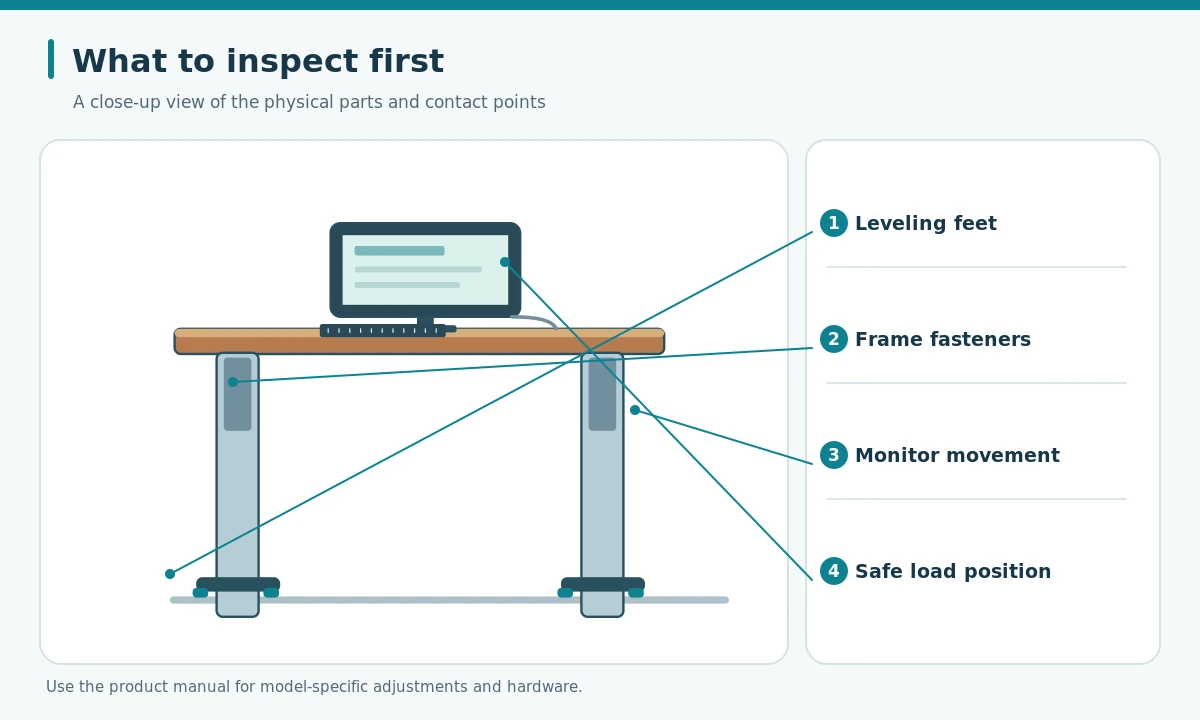
Put the desk on a firm floor and confirm that every foot or manufacturer-specified glide contacts the surface. A thick rug edge, raised floor seam or caster that does not lock can leave one corner unsupported. If your desk has adjustable leveling glides, use the model’s instructions to make contact even; do not pack improvised objects beneath the legs.
UPLIFT Desk’s published instability troubleshooting starts with checking frame fasteners and recommends adjusting leveling glides or casters to level the desk. This is guidance for its products, not a universal tightening specification. Keep hands, cords and furniture out of the lift path while testing the new position.

Inspect connections and the weight distribution
Lower the desk, disconnect power when the manual calls for it, and inspect visible attachment points for obvious looseness, missing hardware or damaged brackets. Tighten only the correct fasteners using the model’s specified tool and torque guidance. Do not open lifting columns, alter electronics or force a bolt that will not seat.
Also review the manufacturer’s load limit and where heavier objects sit. A heavy monitor arm cantilevered far behind the work surface can make visible movement more noticeable. Bring equipment within the supported desktop area and confirm that any rear-mounted arm is compatible with the desk edge and mounting reinforcement.
| Check | Safe test | When to stop |
|---|---|---|
| Foot contact | Check each glide on level floor | Damaged or loose foot |
| Frame bolts | Follow exact model manual | Stripped or missing hardware |
| Desktop mounting | Inspect screws and brackets | Cracked top or bracket |
| Load placement | Reduce off-edge leverage | Desk exceeds rated load |
Run a controlled full-height test
After the checks, remove loose objects and raise the desk through its normal travel with sufficient clearance. Pause at a typical working height, set the keyboard down and type lightly. If the worktop stays put but the monitor shakes, isolate the monitor support before treating the whole desk as unstable.
Compare the same typing task at a lower height. Some vibration is possible on extended frames, but visible worsening, new clicking, a lifting mismatch or persistent rocking after proper leveling warrants manufacturer support. Keep a short description or video of which component moves rather than repeatedly cycling a faulty desk.

- Find the moving part with the lift stopped.
- Level every manufacturer-approved foot or caster.
- Check specified frame joints at a safe lowered height.
- Test light typing; stop if movement persists or worsens.
Know when to stop DIY troubleshooting
If a lifting column leans, the frame is bent, a weld is cracked, or an attachment has pulled out of the desktop, do not keep using the desk at standing height. Contact the desk maker with the model ID and photos. Avoid adding makeshift diagonal braces that could obstruct the moving frame.
After stability is addressed, reset the monitor and input-device positions for standing work. A stable work surface should not require the user to brace themselves against it or constantly hold the monitor still.
How We Research
We based the fault-isolation order on UPLIFT Desk’s published troubleshooting for looseness and leveling, plus OSHA workstation component and purchasing guidance. Desk stability depends on the actual frame model, so we do not prescribe a universal bolt torque or safe load. The comparisons are editorial illustrations, not photographs of products we tested. See About HubWin for our research approach.
Sources
UPLIFT Desk — Troubleshooting and Reset — Provides brand-specific steps for frame hardware and leveling glides.
Desk placement guidance — OSHA — Explains clear work zones and desk component placement.
Monitor adjustment checklist — OSHA — A framework for checking adjustment and equipment suitability.
Some motion may be more noticeable with the legs extended. A desk that rocks at its feet, develops new movement or tilts is a reason to inspect and contact support.
No. Stop movement first, follow the model manual and keep hands away from lift mechanisms. Disconnect power if the maker instructs you to do so.
Yes. A monitor arm can bounce even when the work surface stays steady. Inspect the arm and clamp separately from the desk frame.
An uneven or compressible surface can change foot contact. Inspect floor and leveling glides; do not use improvised shims that could slide.
Contact support for damaged joints, missing fasteners, uneven lifting or persistent rocking after manufacturer-approved checks; do not modify the lifting mechanism.