
This article provides general setup information, not medical advice. Persistent or worsening symptoms should be discussed with a qualified clinician. See the HubWin health disclaimer.
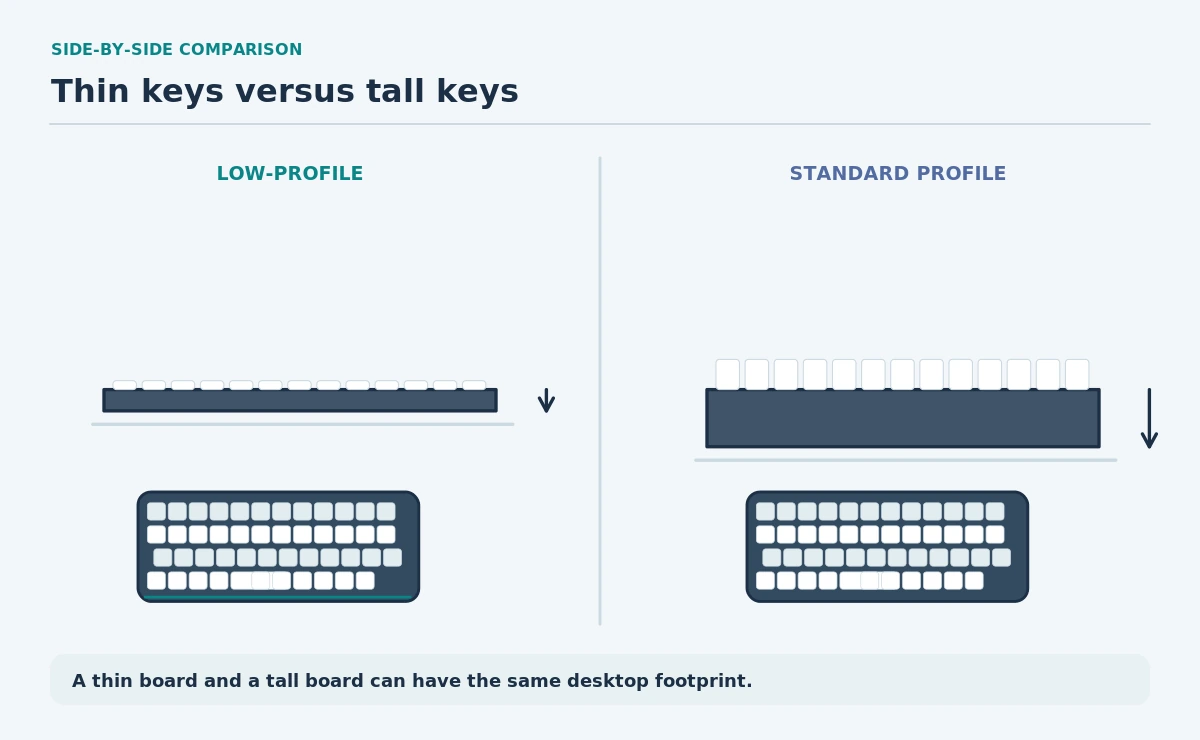
A low profile vs standard keyboard comparison should begin with actual geometry, not a promise that one design prevents pain. A lower front edge can change wrist extension. Key travel, key spacing, overall layout and the work surface still matter. Two keyboards marketed as low-profile may differ substantially.
This is a buying and setup guide, not medical advice. If discomfort persists or worsens, seek individualized professional advice and see the HubWin health disclaimer. Compare your own typing tasks and the manufacturer’s dimensions instead of choosing by a category label alone.
Compare front-edge height, not the product name
Front-edge height is the distance from the desk surface to the typing edge of the key area. Look for a technical drawing or measure the sample keyboard on a flat surface. A thick case with short keycaps can still have a relatively tall leading edge.
Key travel is how far a key moves until actuation or bottom-out, depending on what the manufacturer measures. It does not directly tell you how forceful typing will feel. Use the published measurement method and avoid comparing travel numbers defined differently.
| Measure | Low-profile option | Standard-height option |
|---|---|---|
| Front edge | Often lower; verify actual size | Often taller; verify actual size |
| Key travel | May be shorter | Varies widely by switch |
| Desk footprint | Depends on layout, not profile | Depends on layout, not profile |
| Mouse clearance | Check full-size vs compact | Check full-size vs compact |
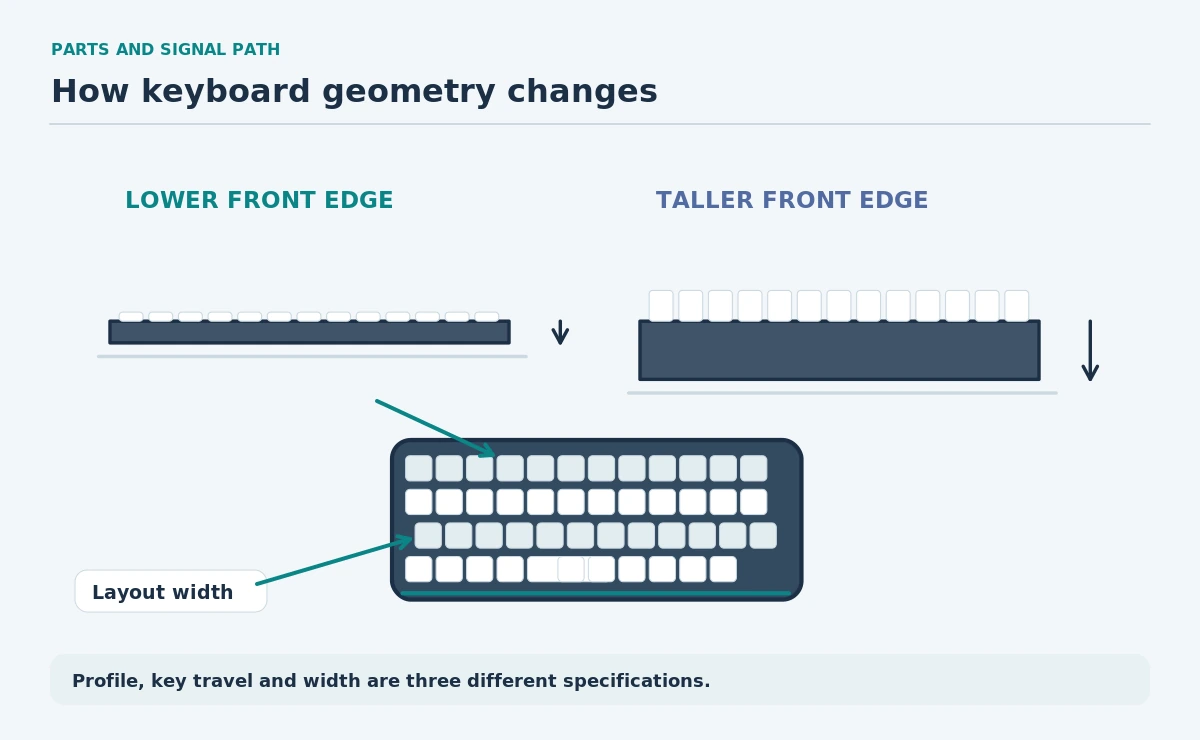
Look at the entire keyboard silhouette
A shallow keyboard is not automatically narrow. Full-size boards can still push a mouse farther to one side. Check whether the unit includes a number pad, navigation cluster and function row. Map the width to your desk before judging the effect of its key height.
OSHA prioritizes neutral wrist angles and room for the keyboard and pointer. Do not raise rear feet by habit. Try the keyboard flat first, then change its angle only if the result allows a more natural hand and forearm alignment.
Test key feel with actual work tasks
Type a familiar paragraph, use your usual shortcuts, and move between the keyboard and mouse several times. If your job involves frequent function keys, arrow keys or numeric entry, confirm those controls work without awkward layer combinations.
Different switches can feel tactile, smooth, noisy or quiet regardless of the outer profile. A switch label is not a substitute for checking the sound in your work environment and the return feel during repeated typing.
| Your daily task | Prioritize | Test in person |
|---|---|---|
| Long-form typing | Key feel and wrist alignment | A full paragraph |
| Spreadsheet input | Number pad and shortcuts | Repeated numeric entry |
| Shared room | Actual keystroke sound | Normal-speed typing |
| Small desk | Overall width and cable route | Mouse movement after typing |
Choose by desk and hand fit
Check the desk height and chair position before buying a different keyboard. A low-profile design cannot compensate for a surface that keeps your shoulders lifted or for a keyboard pushed too far away.
Compare a short device trial at a desk with the same height you use daily. Watch whether your wrists stay aligned, whether you need a support, and whether the mouse remains close. Treat any comfort change as an individual observation, not proof of injury prevention.
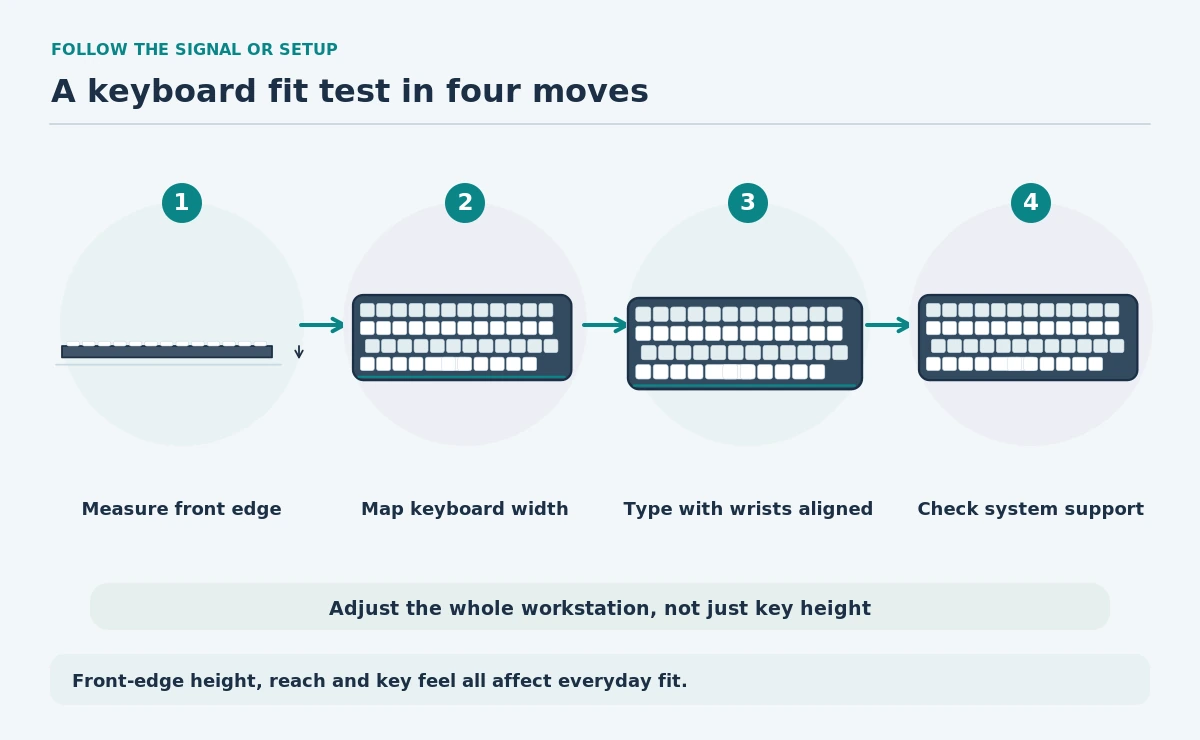
- Measure the front edge and desk-to-key height.
- Compare actual key travel and switch feel.
- Map the layout beside the mouse.
- Test typing with relaxed shoulders and straight wrists.
- Verify operating-system support and return rules.
What specs and return rules to verify
Check the exact product’s layout, operating-system shortcuts, connection type, firmware requirements, replacement keycap support and warranty conditions. A Bluetooth keyboard may have different switching behavior from a wired one; verify before buying for multiple computers.
Also read the seller’s return policy if practical testing is not possible. Do not assume that a thin board is light, portable or quieter. Those are separate characteristics that must be checked model by model.
How We Research
We used OSHA keyboard and pointer guidance to define the workstation checks. Product geometry varies, so this guide supplies no universal height or key-travel target. We did not conduct a hands-on product test. See our research approach.
Sources
OSHA — Keyboards — Explains key placement, keyboard geometry and neutral wrist positioning.
OSHA — Purchasing Guide — Recommends evaluating input devices for task and personal fit.
No. The front edge may be lower, but desk height, tilt, key spacing and individual fit remain important. The profile label cannot guarantee comfort.
Many are designed that way, but travel specifications vary. Read the exact switch’s actuation and total-travel definitions before comparing models.
Yes, some low-profile models are full-size. Key height and the presence of a number pad are independent design choices.
Not by default. OSHA recommends choosing an angle that supports a neutral wrist rather than automatically raising the back.
Not necessarily. Start with keyboard height and reach. If you add support, follow ergonomic guidance on placement and avoid pressing into the wrist while typing.